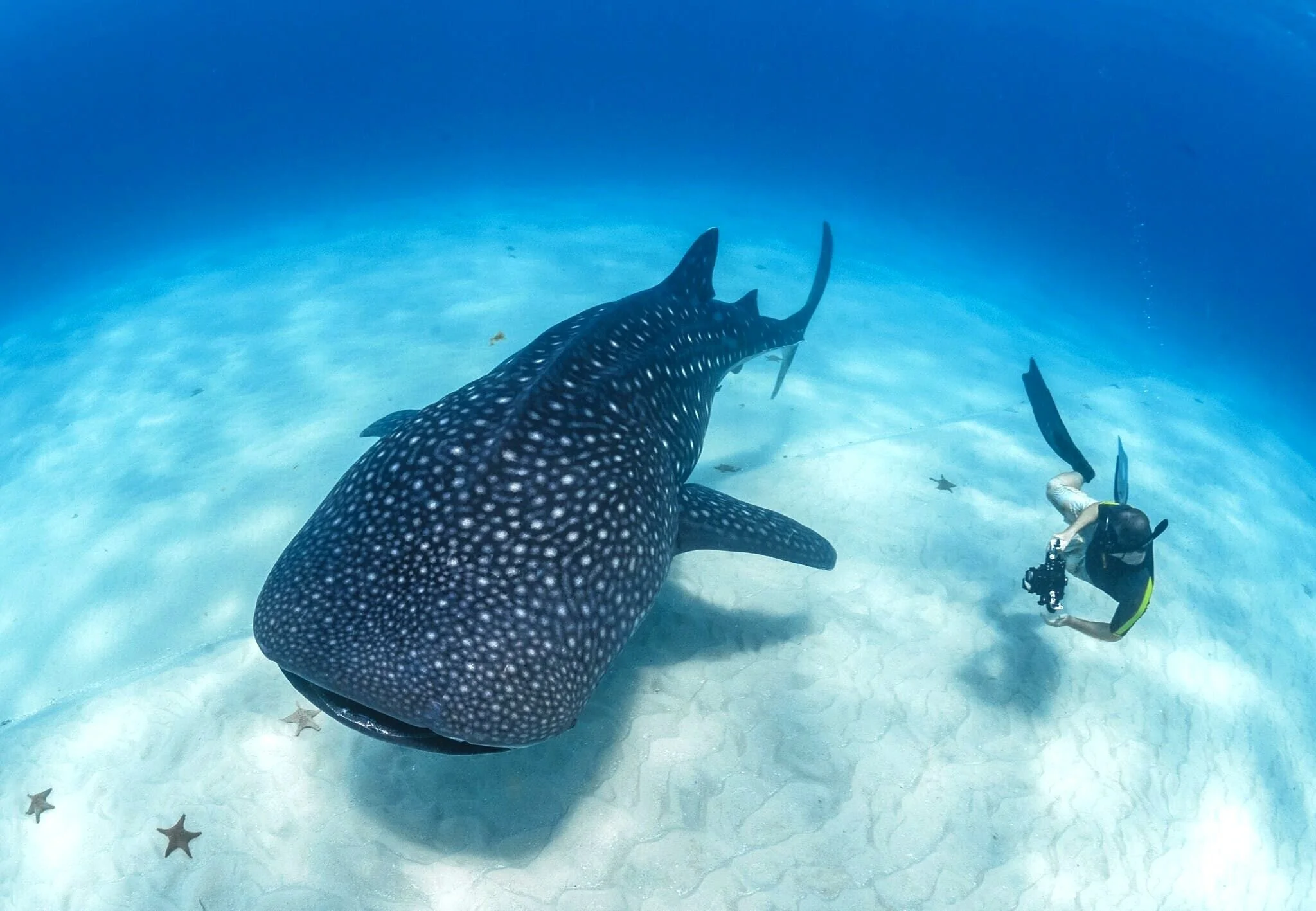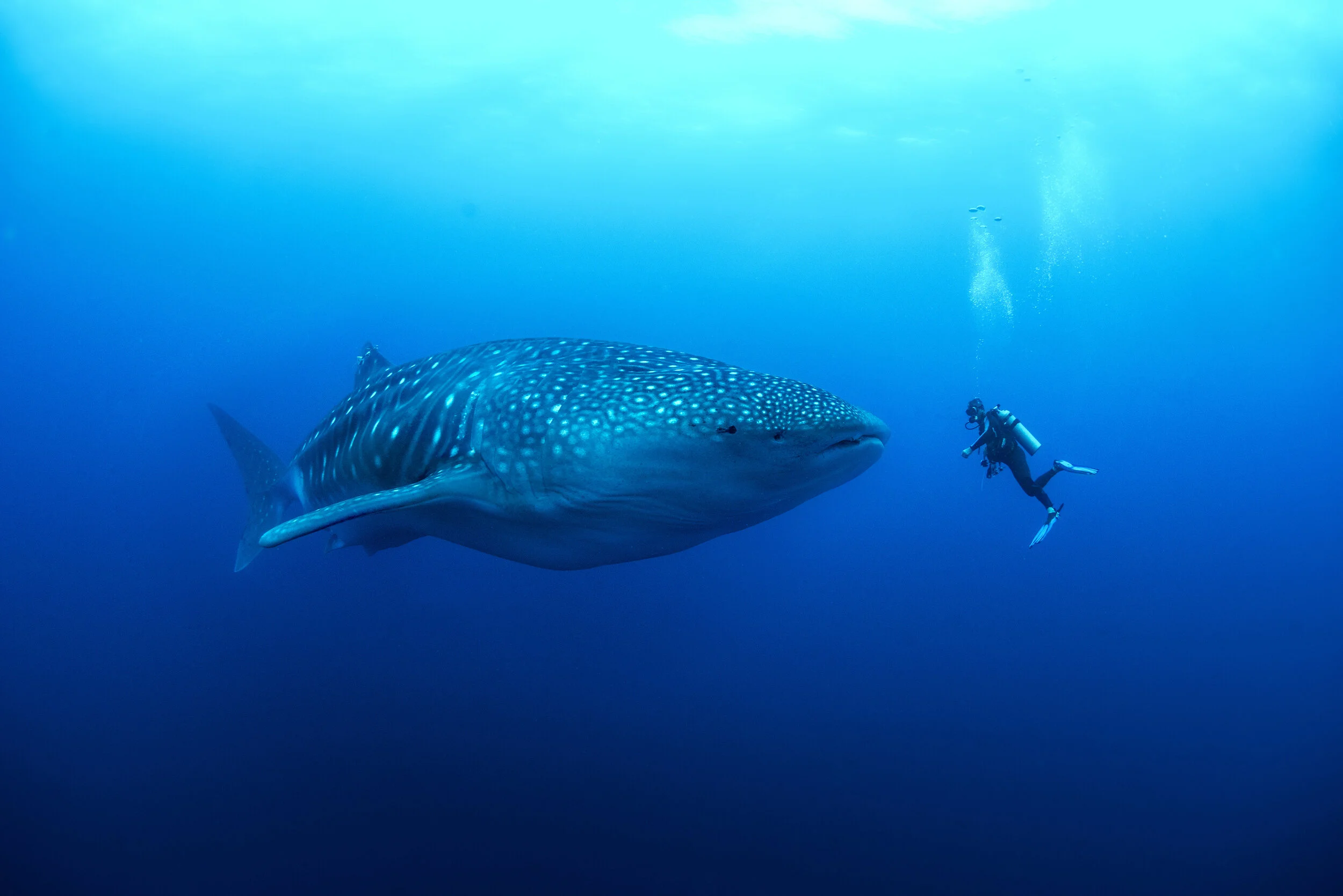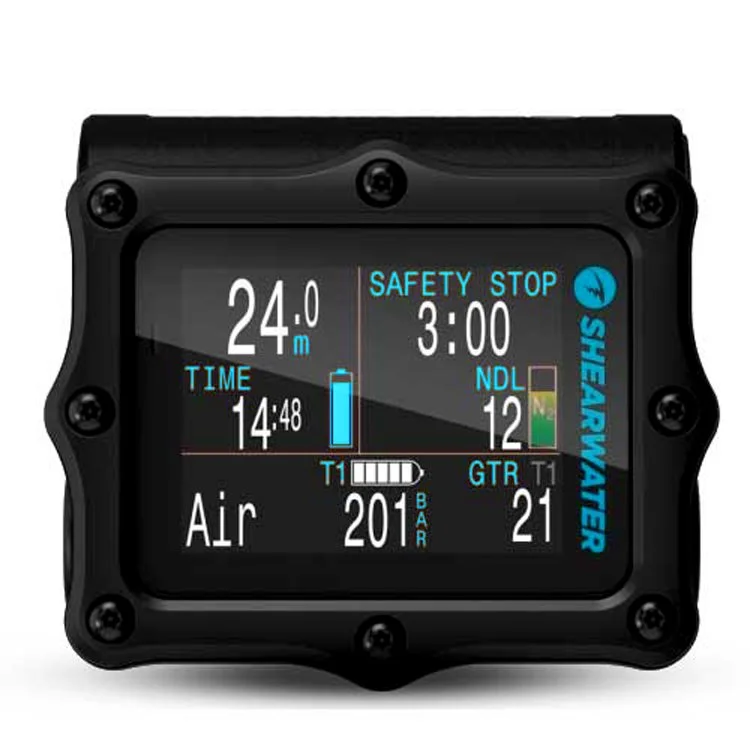

As a professional whale shark biologist and underwater photographer who dives for a living, I rely on my dive computer to be highly functional, extremely reliable, and easy-to-read at a glance. I often get questions about the computer I use, so let's get straight into my recommendations for the best dive computers!
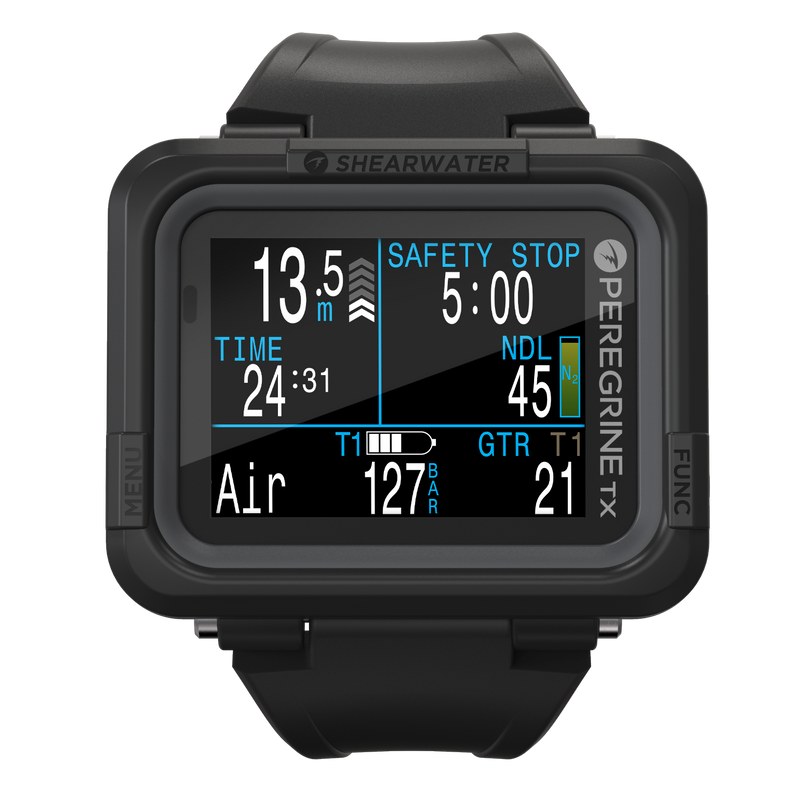
The BEST Dive Computer in 2026 is the Shearwater Peregrine TX. It's packed with features, with air integration, a digital compass, and a big, bright, easy-to-read screen. If you're heading into serious technical diving, get the Shearwater Perdix instead: it adds the trimix and rebreather modes the Peregrine TX doesn't have.
I've personally used the Perdix AI since 2017, and Mads dives the upgraded Perdix 2 (the newer Perdix 3 is out now too). If you want a dive computer that doubles as a full sport watch, the Garmin Descent Mk3i is an extremely capable alternative.
For a budget-friendly option, get the Mares Puck Lite. The often-recommended Cressi Leonardo or Suunto ZOOP might be cheaper, but they're really frustrating to use, so frustrating you'll want to throw one off the boat after a few dives (or the strap will break and solve the problem for you). The Puck Lite does the basics well without the hassle.
Read on for my full reviews of these, plus the Shearwater Tern TX, Apple Watch Ultra, Suunto D5 and the Scubapro Luna 2.0 AI.
BTW, I've listed all our winners for best dive gear here, that includes my best dive masks, dive fins, BCDs, regulators, and full-face dive masks in 2026.
The Shearwater Peregrine TX is the best dive computer for 2026: a big, bright colour screen, a digital compass, and air integration once you add a transmitter. It handles air and nitrox, plus decompression dives on up to three nitrox mixes, so it covers everything short of serious technical diving. If that's where you're heading, step up to the Shearwater Perdix, which adds trimix and rebreather modes. If you want a smartwatch that dives, get the Garmin Descent Mk3i. Simon's own rule: get air integration even if you don't think you'll use it, because once you have used it, there's no going back.
The best dive computers for 2026 are:
- OVERALL WINNER:Shearwater Peregrine TX Dive Computer
- SMARTWATCH:Garmin Descent Mk3i Dive Computer
- TECH DIVERS:Shearwater Perdix 3 Dive Computer
- WATCH-STYLE:Shearwater Tern TX Dive Computer
- iOS SMARTWATCH:Apple Watch Ultra Dive Computer
- BEST LOOKING:Suunto D5 Dive Computer
- BUDGET:Mares Puck Lite Dive Computer
- BUDGET AIR-INTEGRATED:Scubapro Luna 2.0 AI Dive Computer
Quick comparison: best dive computers for 2026
Read the full guideStart with these two. If your needs are different, there is a pick for you below.
Our pick
Shearwater Peregrine TX Dive Computer
Even if you don't think you'll use air integration, I'd still get it, because once you have used it, there's no going back.
Best Smartwatch Dive Computer
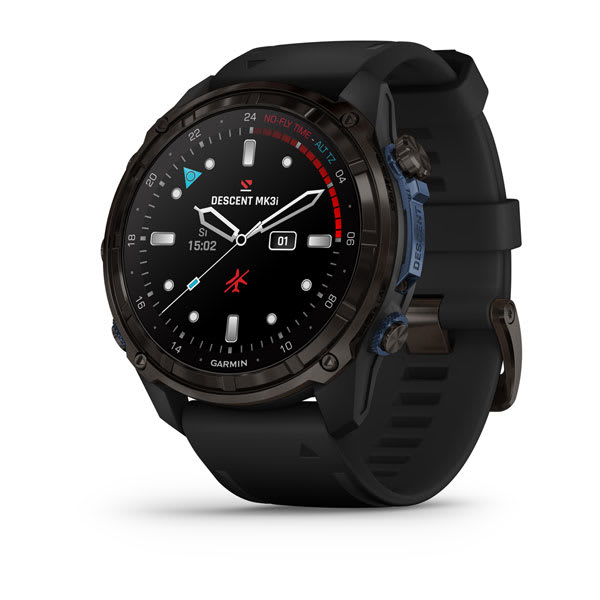
Garmin Descent Mk3i Dive Computer
The Garmin Descent is probably a great alternative to the Perdix 2 as the upgrade, depending on whether you'll also be using it as a sport watch.
Picks for specific needs
Best Dive Computer for Tech Divers
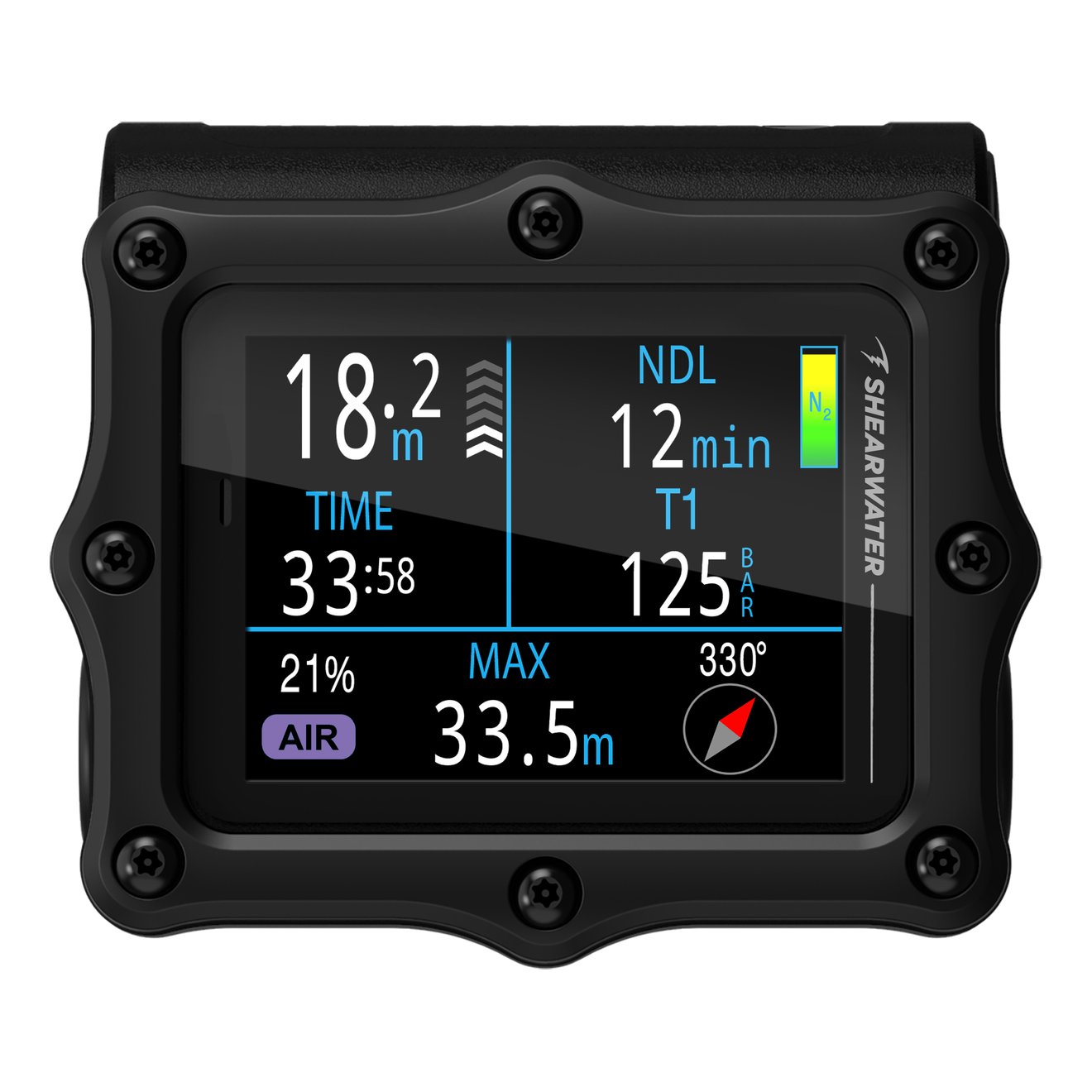
Shearwater Perdix 3 Dive Computer
It's a clear upgrade to the P2 [Perdix 2].
Best Watch-Style Dive Computer
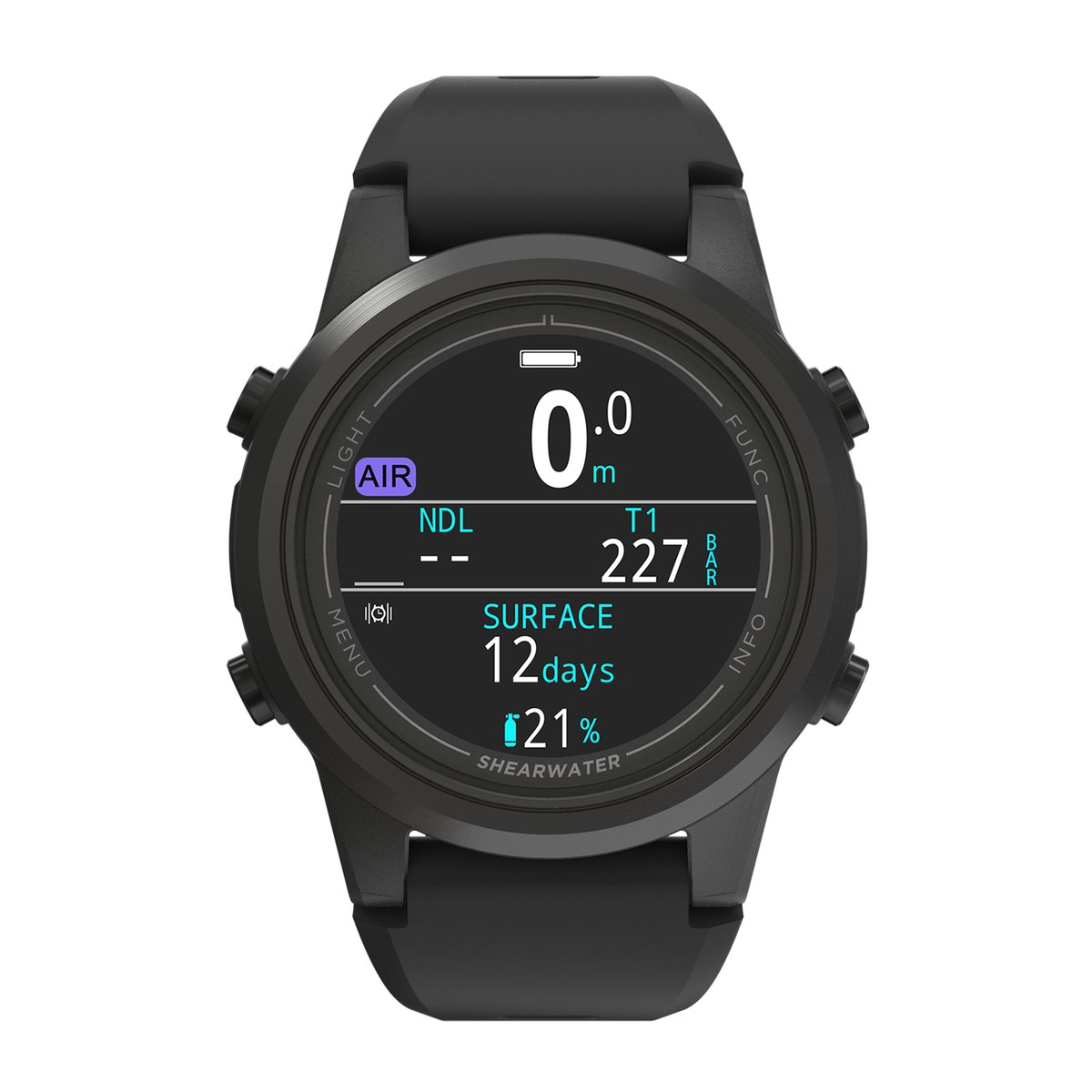
Shearwater Tern TX Dive Computer
The Teric was recreational divers' favourite Shearwater watch; the Tern is built for them, with most of what made the Teric great, minus the tech modes they never used, for less.
Best iOS Smartwatch Computer
Simon's dive computer

Apple Watch Ultra Dive Computer
For people doing occasional diving who'll use the smartwatch features, an Apple Watch is good enough for most things. I prefer something with a bigger screen and air integration.
Best Looking Dive Computer
Tested by Mads

Suunto D5 Dive Computer
The dive watch you'll see on more wrists than any other on a liveaboard, and it earns its place: a bright colour screen, air integration and really, really good looks.
Best Budget Dive Computer
Mares Puck Lite Dive Computer
A simple one-button computer for new divers that still runs the same kind of algorithm as far pricier computers.
Budget Air-Integrated Dive Computer
Scubapro Luna 2.0 AI Dive Computer
The cheapest way we've found to see your tank pressure on your wrist, with a big, simple screen and just two buttons.
Explore this guide 10 sections
- The best dive computers for 2026 are:
- Quick comparison: best dive computers for 2026
- Best dive computers for 2026: the full reviews
- Still not sure? Which dive computer is right for me?
- Buyers guide to the best dive computers for 2026
- How we identified the best dive computers
- Things to consider when choosing a dive computer
- The dive computer guide
- Best dive computers: your questions answered
- Best dive computers for 2026 at a glance
Best dive computers for 2026: the full reviews
Best Dive Computer Overall Shearwater Peregrine TX Dive Computer
Why Simon picked the Shearwater Peregrine TX: The original Peregrine, introduced in 2020, changes the game: it's an advanced dive computer in a user-friendly package, and one of the most popular and capable dive computers around, and everyone he knows with one loves it. The Peregrine has a large colour screen with a great display and an easy-to-navigate two-button user interface. It's highly customisable, excellent build quality, very tough, and uses the Bühlmann ZH-L algorithm as standard (you don't need to understand that, but it's a good thing). The Peregrine TX adds the two things the original was missing: air integration, connecting to up to four Shearwater Swift transmitters (sold separately, including for sidemount diving), and a tilt-compensated digital compass.
It handles air and nitrox, plus up to three nitrox gases you can switch between underwater, with a built-in decompression planner. Vibration alerts get your attention even through a thick wetsuit or drysuit, and the rechargeable battery charges wirelessly to maintain full waterproofing. Shearwater is very good at providing firmware updates to their computers, so you can expect your Peregrine TX to stay up to date for a long time to come.
If you're certain you'll never want air integration, the original Peregrine is still available and a bit cheaper (the second button below), but it drops the compass too.
Video: Shearwater® PEREGRINE™ Digital Launch
Downsides? The transmitter is a separate purchase, which adds to the cost, and that big easy-to-read screen takes up some wrist space: the Peregrine TX doesn't double as a wristwatch unless you have a high embarrassment threshold.
Skip it if you're planning to get into serious tech diving. It has no trimix or rebreather modes, so get the Shearwater Perdix instead.
Also consider Shearwater Perdix 3
Read Simon's review of the original Peregrine Compare the Peregrine, Tern and Perdix
Best Smartwatch Dive Computer Garmin Descent Mk3i Dive Computer
The Garmin Descent is probably a great alternative to the Perdix 2 as the upgrade, depending on whether you'll also be using it as a sport watch.
Simon Pierce
Why Simon rates the Garmin Descent Mk3i: One device on your wrist, all the time: a full dive computer and a sport watch. Out of the water, it tracks running, swimming, hiking and sleep, has GPS maps, and you can pay with it. As a dive computer, it offers full tech-diving capabilities, including trimix and closed-circuit rebreathers, and it has freediving and gauge modes too.
It has a bright colour touchscreen, a case rated to 200 m, and up to 66 hours of battery life in dive mode on the 51 mm Mk3i, which also has a built-in flashlight. With a Descent T2 transmitter, sold separately, it shows your own tank pressure, plus the depth and tank pressure of up to eight other divers using T2s, up to 10 m away.
If you want the smartest dive computer on the planet, the Garmin Descent Mk3i is it.
Downsides? It's expensive, especially once you add the T2 transmitter. For tank pressure, Garmin lists its own Descent T1 and T2 transmitters as compatible, and the Shearwater Swift isn't on that list. Owners rate it highly, but they're divided on durability: a few report a broken strap or early scratches.
In Simon's words: "I prefer the larger screen and dedicated dive device, but the Garmin is pretty amazing. I haven't used it myself."
Skip it if you don't need the sport watch features. Simon prefers the larger screen of a dedicated dive computer.
Also consider Shearwater Perdix 3
Best Dive Computer for Tech Divers Shearwater Perdix 3 Dive Computer
Why this is Simon's pick for tech divers: This evolution of the legendary Perdix AI, Simon's own computer since 2017, is packed with features that both recreational and technical divers appreciate: a big, bright screen, air and nitrox modes, plus the trimix and closed-circuit rebreather modes the Peregrine TX doesn't have. You will never outgrow this computer, even if you suddenly develop aspirations to become a world-class tech diver.
It has a built-in 3-axis tilt-compensated digital compass, and you can quickly download your dives and upload firmware updates via Bluetooth: the computer stores 1,000 hours of dive time. It keeps the simple AA battery, easy to change and good for ages, and it's very easy to change frequently-used settings like nitrox, time and date. The Perdix 3 adds a bigger, brighter 2.4-inch AMOLED screen at four times the resolution of the Perdix 2, an optional extra-large font layout and six times faster Bluetooth. The original Perdix AI, released in 2016, is still getting regular firmware updates: these computers are built to last.
Downsides? It's the newest Perdix and costs more than the Perdix 2, which is still a superb computer and the one Mads dives. You're paying for the advanced tech diving features, but may not need them: if you don't intend to do tech diving, the Peregrine TX covers you. There are no smart features like GPS.
Skip it if you want a smaller, watch-style computer. Get the Shearwater Tern TX instead.
Also consider Shearwater Tern TX
Read Simon's full Perdix review Compare the Peregrine, Tern and Perdix
Best Watch-Style Dive Computer Shearwater Tern TX Dive Computer
Why we picked the Shearwater Tern TX: If you like to wear your computer as a watch, the Tern TX is a good-looking option. The Teric was recreational divers' favourite Shearwater watch, and the Tern is built for them: most of what made the Teric great, minus the tech modes they never used, for less. It has a full-colour 1.3-inch AMOLED screen, one of the sharpest on any dive computer, in a 100 g watch you can wear between dives.
The Tern TX adds air integration from up to four tanks (transmitters sold separately) and a tilt-compensated digital compass; the plain Tern leaves them out for US$210 less. It runs air, nitrox, three-gas nitrox, gauge and freediving modes, on the Bühlmann ZHL-16C algorithm with adjustable gradient factors, and it charges wirelessly, with up to 20 hours of diving per charge and six months on standby. Full-colour crystal AMOLED screen with rich blacks: bright and easy to read, even next to the Perdix.
Downsides? There are no trimix or rebreather modes (Shearwater's Teric, at US$1,199, has them), alerts are vibration only, and the toughened glass lens isn't as scratch-resistant as sapphire, so Shearwater recommends a screen protector. Like all watch-style screens, it's smaller than the Perdix's, so text is smaller.
If you want tech modes in a watch, the Teric is still available; read Simon's Teric review for the full picture.
Video: Shearwater Research Teric - Dive Watch and Computer
However, if you're keen for a smartwatch that doubles as a dive computer, read on for the Garmin Descent Mk3i.
Skip it if you want the biggest possible screen. Get the Peregrine TX or the Shearwater Perdix instead.
Also consider Shearwater Perdix 3
Read our full Tern review Compare the Peregrine, Tern and Perdix Want tech modes in a watch? Read Simon's Teric review
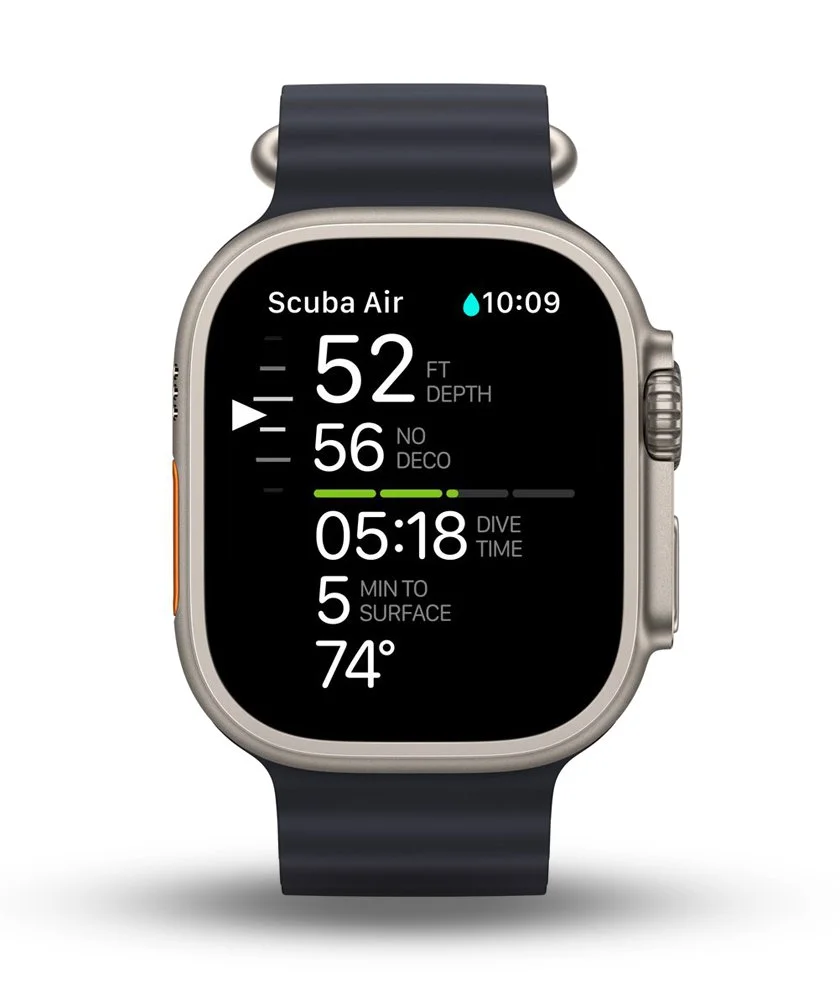
Best iOS Smartwatch Computer Apple Watch Ultra Dive Computer
Simon's dive computer$$$
For people doing occasional diving who'll use the smartwatch features, an Apple Watch is good enough for most things. I prefer something with a bigger screen and air integration.
Simon Pierce
Simon has dived his own Apple Watch Ultra 2 quite a lot, on his wrist and on his camera's strobe arm, though not recently (Apple's current model is the Ultra 4). Paired with the Oceanic+ app, it offers an advanced dive log, underwater haptic feedback, and the ability to configure dive settings, units, alarms and scuba settings, and it doubles as an excellent everyday smartwatch.
Touch-screen interface: the large touch-screen of the Apple Watch Ultra makes it significantly more user-friendly than traditional dive watches with dated interfaces. Innovative dive log: the Oceanic+ app goes beyond basic dive logging by offering GPS location mapping, depth profiles and warnings for a comprehensive dive analysis. Personalised settings: the app allows you to customise your settings for dive mode, units, alarms and scuba settings, and you can also add your dive certification cards, numbers and other helpful notes, with the dive features running on every Ultra, including the current Ultra 4. Underwater display: it's designed with a bright, easy-to-read display, helpful for underwater use. Secure and durable Ocean Band: it comes with a specially designed Ocean Band that ensures a secure fit and durability during your dives. Haptic feedback and alarms: it uses powerful haptic signals to alert you of safety warnings, ensuring you stay safe during your dive.
Simon's verdict: the hardware is fine, the software less so. The Oceanic+ app is the heart of the Apple Watch Ultra dive experience, offering a range of free features for snorkelers, but to use it as a full-fledged dive computer, you need to pay the subscription fee, about US$80 a year on top of the watch, and he didn't rate the app. He couldn't turn off the vibration alerts, which drove him mad with the watch on his strobe arm (other divers he knows love that same vibration on a safety stop). There's no air integration, so it can't show your remaining air.
If you want this as your daily-driver smartwatch and you're an occasional diver, the Apple Watch Ultra should cover your needs. For a dedicated dive computer with air integration, get the Shearwater Tern TX instead.
Skip it if you want a dedicated dive computer rather than a smartwatch that also dives. The Shearwater Tern TX is a dedicated dive watch with air integration and no subscription.
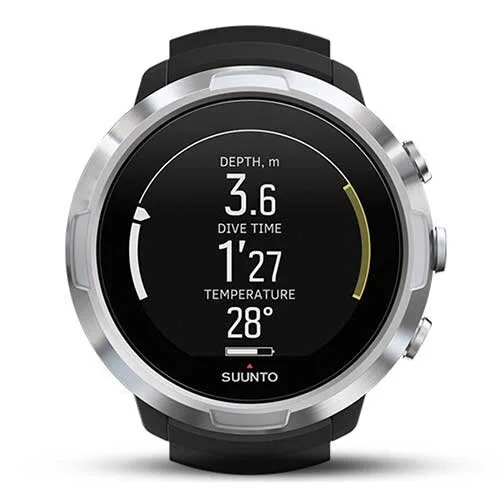
Best Looking Dive Computer Suunto D5 Dive Computer
Tested by Mads$$$
Mads has dived the Suunto D5. Great looks and a bright screen: Suunto dominated dive watches for years, and the D5 is still hugely popular with recreational divers on liveaboards who love a watch, though newer watches like the Shearwater Tern, Apple Watch Ultra and Garmin Descent are catching up. It's also really, really good-looking: a full-colour crystal LED-backlit screen with rich blacks, easy 3-button intuitive navigation, and it's air integrated, with the transmitter sold separately.
It has a digital compass with tilt compensation, a freediving mode, and interchangeable watch straps to suit your style.
Downsides? Battery life is only 6 to 12 hours in dive mode, compared to the Tern TX's 20 hours, and the interface is slightly more cluttered.
Skip it if battery life matters more to you than looks. The Tern TX lasts longer per charge.
Also consider Shearwater Tern TX
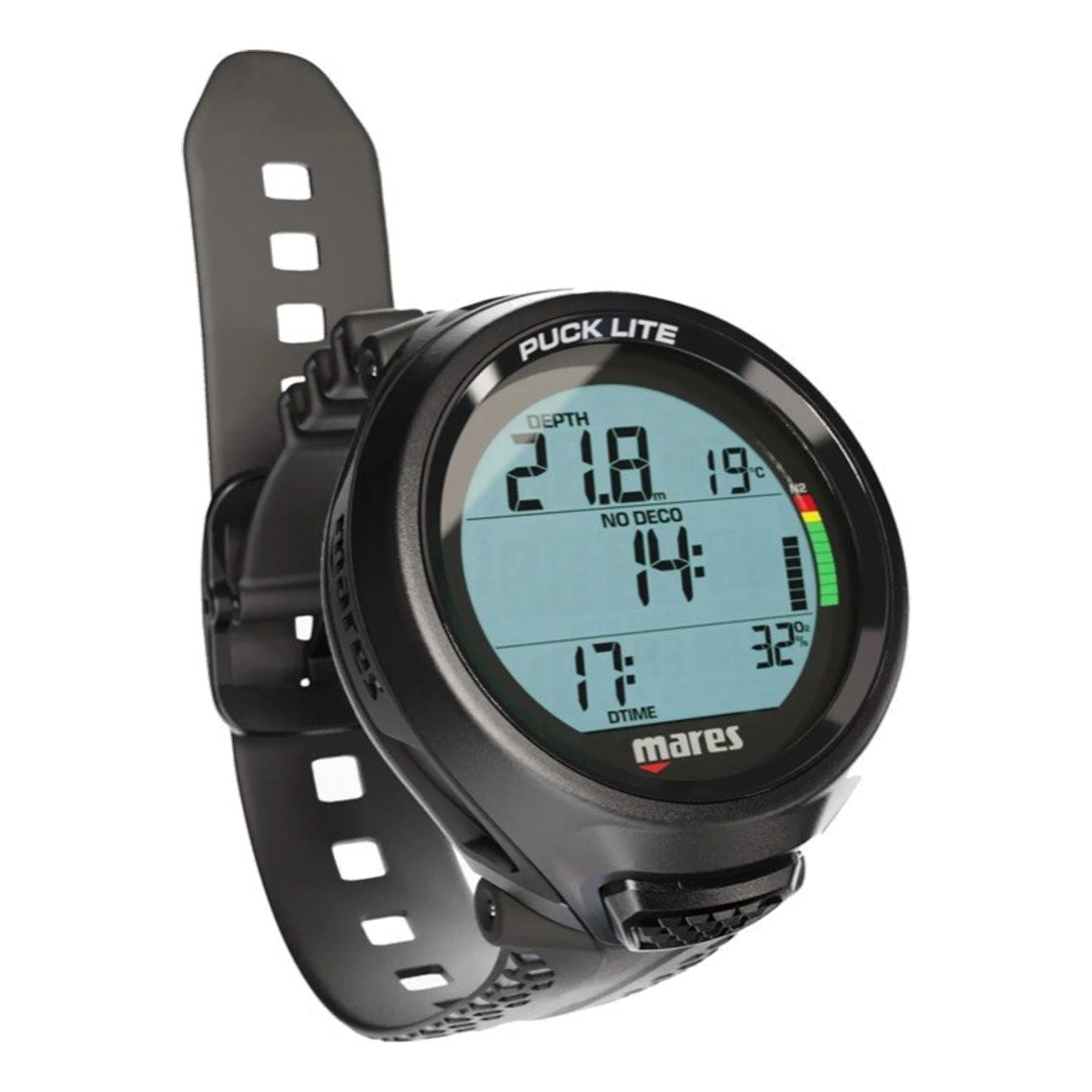
Best Budget Dive Computer Mares Puck Lite Dive Computer
Why we picked the Mares Puck Lite: It's a simple one-button computer for new divers that still runs the same kind of algorithm as far pricier computers: Bühlmann ZH-L16C with two gradient factor settings, so you can dive it more conservatively while you're learning. Big, clear numbers on a sharp segment display show depth, no-decompression time and dive time without digging through menus.
Bluetooth sends your dives to the Mares and SSI apps and handles firmware updates, and it takes nitrox from 21% to 50%. The battery is user-replaceable and lasts about 100 dives, and the strap swaps for a bungee mount or a Mares console.
Downsides? It's a single-gas computer with no air integration, the screen isn't colour, and one button means a few extra presses to change settings. It only stores 100 dives itself, so use the app to keep your full log. The Cressi Leonardo is the most popular first computer on Amazon, with thousands of reviews built up over many years on sale, but it's a much older design: for about the same money, the Puck Lite gives you newer tech.
Skip it if you want a colour screen or air integration. Step up to the Peregrine TX.
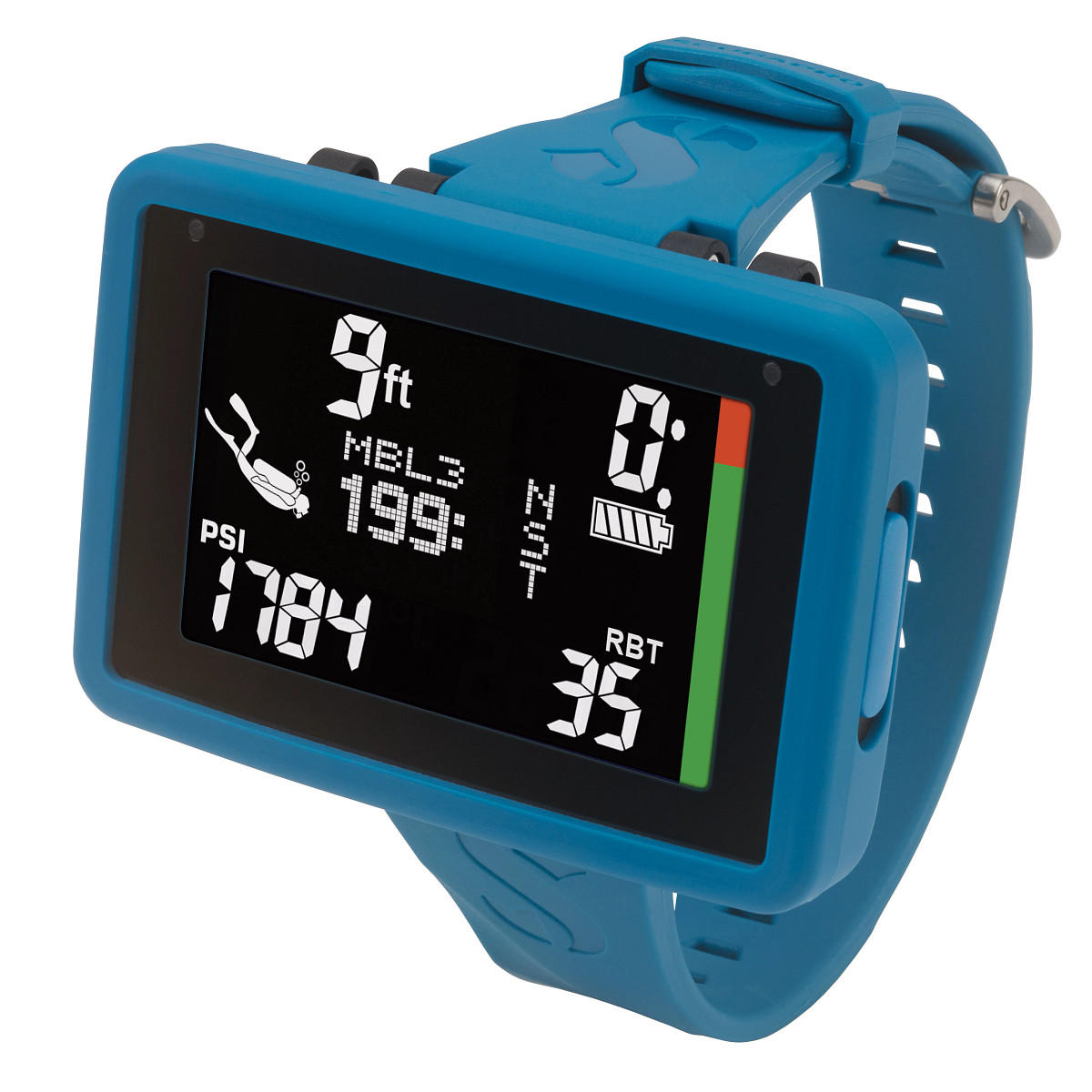
Budget Air-Integrated Dive Computer Scubapro Luna 2.0 AI Dive Computer
Why we picked the Scubapro Luna 2.0 AI: It's the cheapest way we've found to see your tank pressure on your wrist, with a big, simple screen and just two buttons. Wireless air integration shows your tank pressure and a true remaining bottom time based on how hard you're breathing, once you add Scubapro's Smart+ Pro transmitter.
Large characters on a wide screen with a bright backlight are easy to read, and the two buttons are easy to learn. It offers two algorithm choices (Bühlmann ZH-L16 ADT MB with adjustable conservatism, or with gradient factors), nitrox up to 100% on three gases, plus gauge and freediving modes. Bluetooth downloads to iOS, Android, PC or Mac, and the battery is user-replaceable, rated for up to two years or 300 dives.
Downsides? The transmitter is sold separately, and there's no compass. Scubapro's own site shows 11 owner reviews averaging 3.7 stars: two owners found the screen dimmer and less contrasty than the photos, one said the safety-stop timer restarts from zero if you drop below 15 ft and can't be changed, and one was locked out for 48 hours after accidentally switching to freediving mode between dives.
Skip it if you want a colour screen or a compass. The Peregrine TX has both, along with air integration.
Also consider Shearwater Peregrine TX
Still not sure? Which dive computer is right for me?
- Not sure, want the safe choiceShearwater Peregrine TX Dive Computer
- On a tight budgetMares Puck Lite Dive Computer
- Heading into serious technical divingShearwater Perdix 3 Dive Computer
- Want the smallest watch-style computerShearwater Tern TX Dive Computer
- Want your upgrade to double as a sport watchGarmin Descent Mk3i Dive Computer
- Already have an Apple Watch Ultra and dive occasionallyApple Watch Ultra Dive Computer
- Want the best-looking computer on your wristSuunto D5 Dive Computer
- Want air integration without paying full priceScubapro Luna 2.0 AI Dive Computer
Why you can trust this guide
Simon Pierce is a professional whale shark conservation biologist and expert underwater photographer who dives and freedives for a living. This expert guide to the Best Dive Computers is by a world-renowned marine biologist and award-winning underwater photographer who’s been diving for over 20 years, with thousands of dives logged from all over the world. He co-founded the Marine Megafauna Foundation, where he leads the flagship Global Whale Shark Program. He also serves as a member of the IUCN Shark Specialist Group. His marine research and photography are routinely covered by major media outlets, including the BBC, National Geographic, Discovery Channel, and New York Times. One of his photographs was chosen as a personal favourite by Sir David Attenborough, and another illustrates one of the global PADI scuba diving certification cards.
Mads, who has also contributed to this guide, is an avid scuba diver and recreational freediver who’s dived some of the most spectacular locations around the world, from Misool and northern Raja Ampat to the Galápagos, with many stops between. She’s a minimalist and likes to travel light (which Simon encourages, as he can use her baggage allowance), mostly opting to hire dive gear wherever she goes. She’s been sampling the world’s equipment for over a decade, and now dives with the upgraded Shearwater Perdix 2.
As seen in:

Buyers guide to the best dive computers for 2026
Here’s how we picked our dive computers, and what to look for when you buy one.
How we identified the best dive computers
We looked at all the current models from top brands globally to find the best dive computers on the market in 2026. Aside from our own personal experience with lots of different computer models, Mads and Simon spent hours watching YouTube reviews and product explainers, arguing with diver friends, and scouring reviews and message boards. To summarise:
- Between us, we’ve done around 3,000 dives and used lots of different computers.
- We spoke to dive shop owners in Australia and Indonesia to find out what they use and recommend.
- We surveyed our extensive network of professional divers (scuba instructors, professional underwater photographers, marine biologists and more) to get their opinions and feedback.
- We spent (at least) 15 hours doing dive computer and dive watch research online, including scuba message boards, to get up to date on what’s available and what real users’ experiences have been with various models.
- We both read hundreds of reviews to determine the actual performance of the various features.
- We watched dozens of YouTube reviews and product explainers, gathering multiple external opinions.
The main criteria for making our choice quickly became obvious. We all want a computer that’s easy to use, easy to read underwater with a bright, clear screen, and a battery that’s easy to replace but ideally lasts a long time.
There are some other nice-to-have features that, if you’re diving a lot, really do make a difference: air integration, “smart” features, and the ability to upgrade the firmware easily when updates become available.
We identified a range of options that might appeal to different people, as outlined above. Ultimately, though our top choices are expensive, we think they’re worth it. Get the best computer you can afford: it’ll probably last longer, and you’ll enjoy using it more. Buy once, cry once.
Things to consider when choosing a dive computer
- How recent is it? The latest releases have the most recent tech, and dive computers aren’t a product you’re likely to upgrade often. Read the real-world user reviews to ensure that new features are genuine improvements. Often the last generation will have a price drop too, sometimes offering great value. We chose the Shearwater Peregrine TX and Shearwater Perdix as our top picks in part because their firmware will be continually upgraded for years to come. Super useful.
- Do users love it? Real-world reviews are the best reviews. Quality over quantity though, to a point; recent releases will obviously have fewer reviews. Most of the new models are incremental upgrades over previous computers, so reviews of older generations are often useful too, especially if the new version addresses the “pain points.”
- Integrated air. Do you want to see all your dive data at once? Yes. You do. Once you’ve had an air-integrated computer, monitoring an air gauge feels like stepping back in time. Of course, these do come with an additional price tag, but many older transmitters still work well with new computers.
- Usability. The computer should be intuitive and easy to use. Sad to say, most older (and sometimes cheaper) dive computers are terrible at this. “Beginner” computers are often the worst.
- Readability. The screen should be bright and the text should be easy to read. The easier, the better. Having a simple screen display is an advantage here, so it only shows what you need to know.
- A colour screen. This does make the computer more expensive, so we let cheaper computers off on this one, but colour is often useful, particularly for air-integrated computers. Red is… not good.
- Design. When you’re paying hundreds of dollars, you should expect the computer body to look great, with a comfortable fit and modern interface design.
- Battery life. You want a computer that tells you how much battery life it’s got, minimises the need for battery charging or changing, and makes this easy to accomplish when necessary. Some computers sound good, by reporting battery life with screen brightness at minimum, but you’ll want a bright screen while diving. There’s no free lunch here: boring old traditional dive computers have a great battery life, but the more “smart” features you want, the bigger the power draw. Some smartwatch-style computers may have to be charged on a nightly basis while you’re diving, though the Garmin Descent Mk3i has excellent battery life, considering all its features.
- Customisation options. If you want to make your computer look more distinctive, or just fit better, changing the screen colours and straps is often a good way to accomplish that. Straps can suffer wear quite quickly, too, so easy replacement is great. Similarly, if there’s a particular layout of dive information you like, or beeps and so on, check that you can adjust the interface to your liking.
- Bluetooth connectivity. If you want to download your dive logs to an app or computer, or do easy firmware updates, reliable Bluetooth connectivity is a great feature.
- Price! A great dive computer will make your diving more enjoyable. Get the best you can afford, as a cheap computer will only frustrate you: you’ll just upgrade anyway. Computers under $300 often lack key features and are a pain to use; over $800 or so, check you’re not paying for functions that you’ll probably never need.
The dive computer guide
Dive computers vs dive consoles vs dive watches
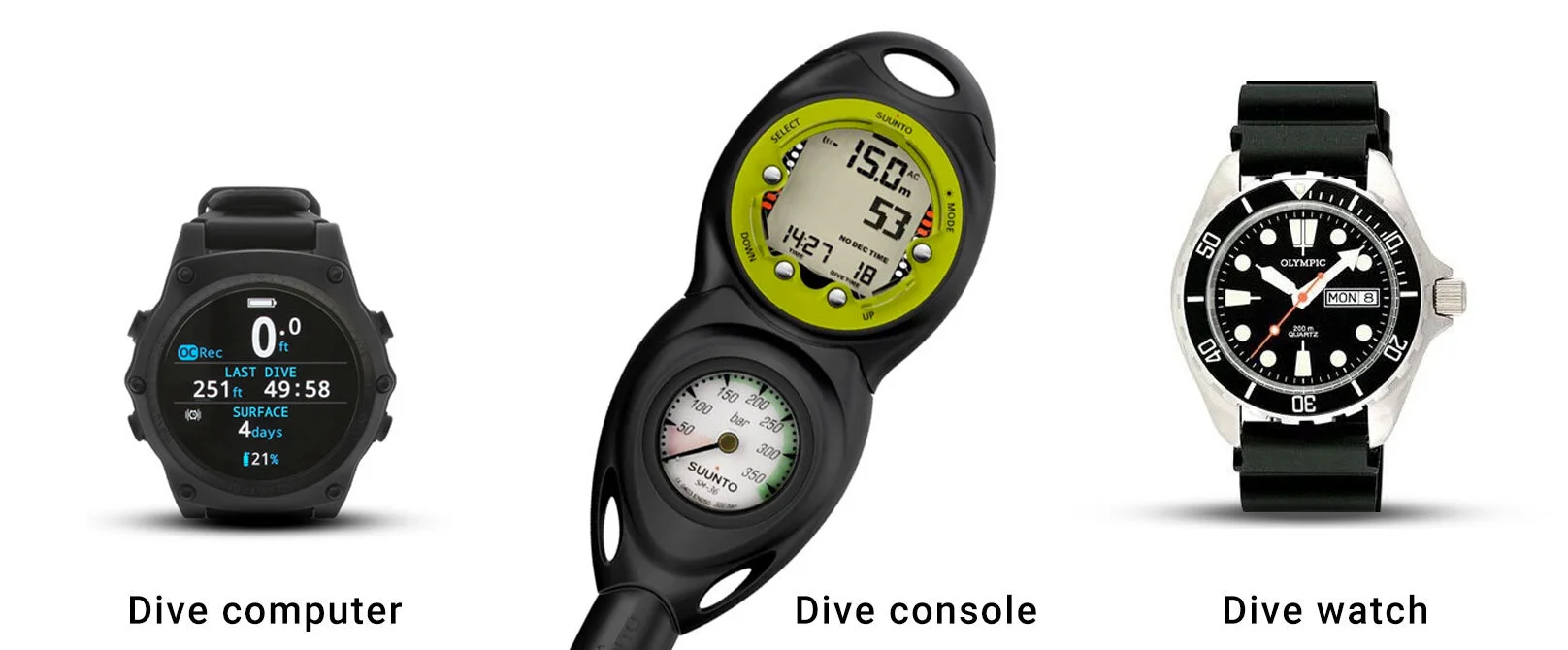
A dive computer displays your dive data on a screen. Often these are smartwatch-style devices, typically worn on the wrist, but not always. For instance, Simon prefers to strap his large-screened Shearwater Perdix AI computer to the strobe arm on his camera.
A dive console combines your dive computer with the air pressure gauge, and in some cases an analog compass, connected to your first stage via a pressure hose. Dive shops often use this configuration, as students are less likely to lose the computer. It’s not the best option for regular divers, though, as it’s not as easy to read as a wrist-mounted device.
A dive watch is a waterproof fashion watch that displays depth when diving. These watches look great if you’re into that style, and they’re an excellent choice for surfing, swimming and watersports. However, if you’re actually diving, you’ll need a dive computer in addition to a dive watch: they won’t calculate your remaining no-decompression time or provide much in the way of dive-related function. Most divers prefer a watch-style dive computer, like the Shearwater Tern TX.
Dive computers with an integrated compass
Modern dive computers use the screen to display a digital compass. This makes keeping an eye on navigation more natural and intuitive, as traditionally a compass is most often located on the cumbersome air pressure gauge and dive console unit, or as a stand-alone piece of kit attached to your BCD or strapped on the wrist.
All of our top dive computer choices feature excellent integrated digital compasses.
Integrated air dive computers
Air-integrated dive computers automatically display your air pressure on the dive computer itself, rather than on a separate pressure gauge, using data received from a small transmitter that attaches to the first-stage regulator mounted on your tank.
The three core benefits of air-integrated dive computers are:
- You can see all your dive data on one screen, with no separate gauge.
- You can set up alerts for 100 bar, 50 bar, or any other pressure level, so you don’t have to keep checking throughout your dive.
- In most new models, you’ll be able to see how many minutes of dive time remain, not just an air pressure reading.
There are two types of transmitters: broadcast and permanent pairing.
- Broadcast allows you to pair via 20 or so frequencies at the start of your dive; just be sure you’re not pairing to another diver’s frequency.
- Permanent pairing allows you to enter the transmitter’s serial number into the computer once, and you’ll never have to think about it again.
If you’re on the fence about air integration, keep in mind you cannot upgrade a non-air-integrated dive computer to an air-integrated dive computer. For the system to work, it requires hardware in the computer itself. Thus, if you think you may want one in the future you are better off getting at least a computer that is compatible with the transmitters.
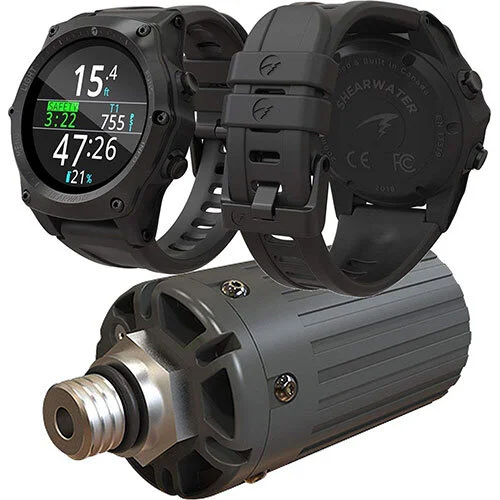
Video: Shearwater PERDIX AI - Recreational and technical scuba diving computer
This functionality is extremely useful, and we thoroughly recommend it.
Usability of the dive computer
The menu system and interface should be intuitive and easy to understand. The physical buttons should be big enough to press while wearing gloves, which is normal in cool water. It shouldn’t require a full manual dive to get started.
For the purposes of this review, we’re applying a 10-minute rule, i.e. 10 minutes of focused attention should be fine to get comfortable with at least the basics. Core tasks are: can you change the date and time easily? Can you switch gas mixture (21% oxygen in air to 32% nitrox) fast? The best dive computers make this effortless.
Dive computer screen layout and design
When it comes to dive computers, we want great functionality, but to be able to quickly see and understand what we need to know. We want to be looking at awesome ocean animals, not trying to interpret screen hieroglyphics.
If you have poor eyesight, you’ll want an uncluttered screen with big, clear text. While some bigger dive computers, like the Shearwater Perdix and Peregrine TX, display clear text, some use the extra space to cram in more confusing, unnecessary graphics, decreasing legibility.
We’ve looked for computers with a modern, clean screen design and a simple information layout, without unnecessary clutter or distracting graphics. Smartwatch tech is often made to look hard-core, with information crammed onto the screen to show off its maximum hardcoreness. Leave that to the noobs.
A great dive computer communicates vital information quickly and clearly when you’re at depth. A cluttered dark screen and hard-to-read type is just a pointless frustration.
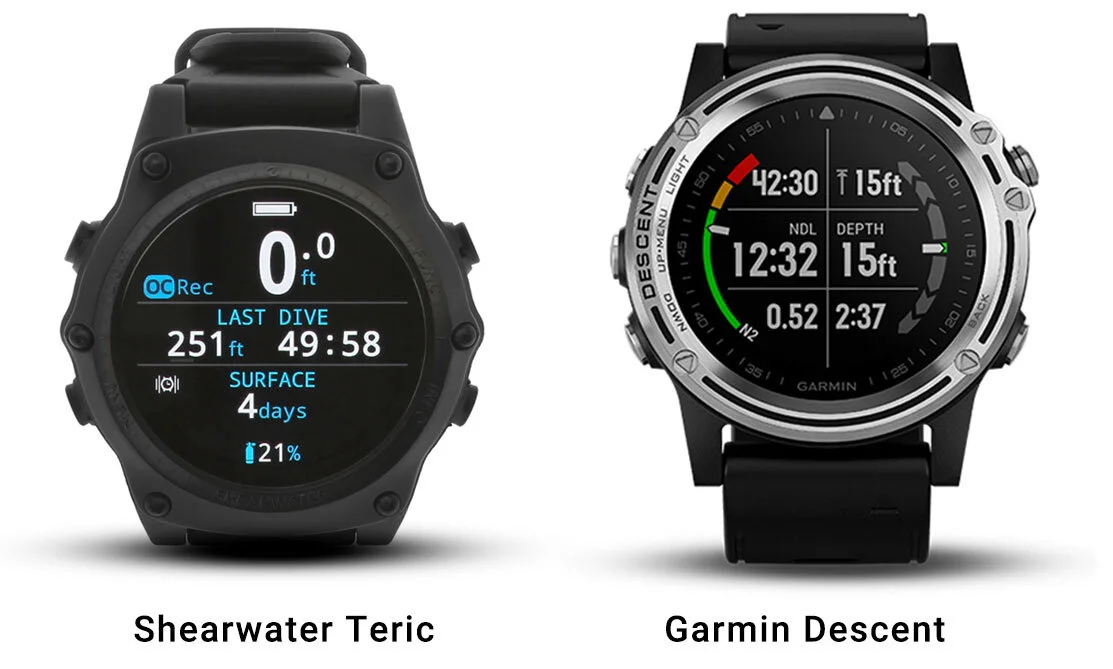
Even amongst two of the best, above, you can see that the Shearwater Teric makes better use of the available space than the Garmin Descent. The Teric provides clear, bright, and easy-to-understand information.
Dive computer screen brightness when diving (and on land)
There is significant variation in brightness between dive computer models. Shearwater’s crystal AMOLED and OLED displays, used on the Peregrine TX, Perdix and Tern TX, are among the brightest available.
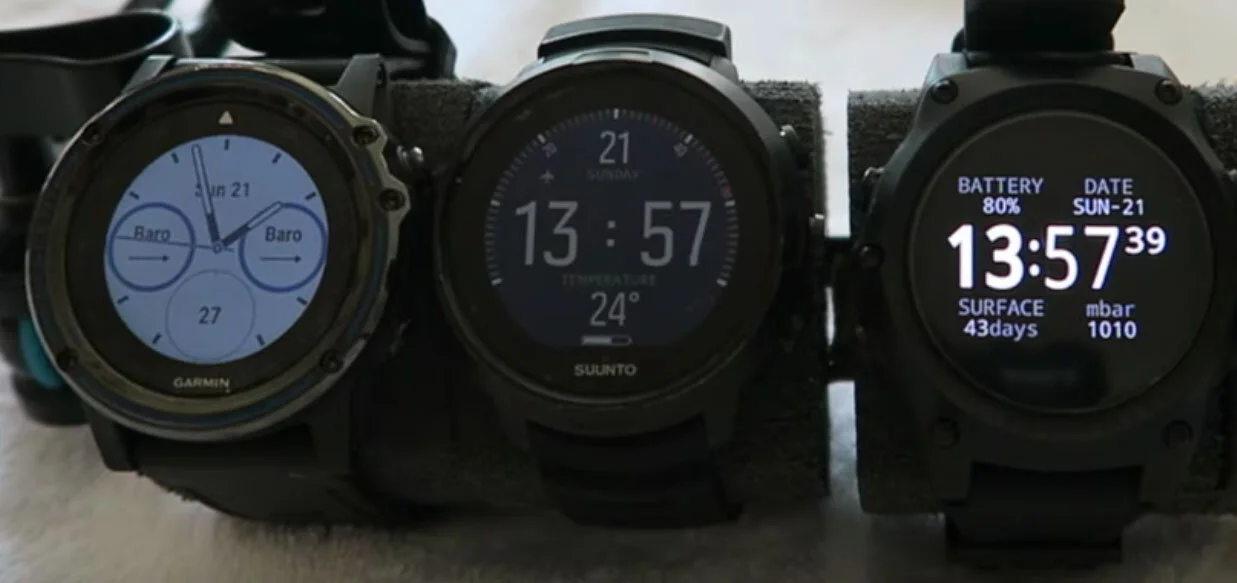
LED and AMOLED screens offer the highest level of brightness and clarity available. These displays are a game-changer: previously, high brightness was associated with lower battery life, but with energy-efficient screens you get a long-lasting battery with your bright screen. Because what’s the point of a cake you can’t eat?
Multi-dive battery life of your dive computers
Speaking of battery life, many of the latest dive computers are more like smartwatches. With great power comes great battery drain. Like a smartwatch, you’ll need to keep an eye on your battery levels. You might have to charge daily while you’re diving, especially if you also use your dive computer as a smartwatch for everyday tasks like email or texts.
When looking at the manufacturer-provided specs, be sure to look at ‘dive mode’ vs ‘watch mode’ battery life. Garmin’s official specs for the Descent Mk3i, for instance, list up to 66 hours of battery life in dive mode on the 51 mm model. Keep in mind these estimates are typically calculated with screen brightness set to the lowest setting, too. You’ll probably want high brightness for diving.
We’re not saying a relatively short battery life is a negative, really; just make sure the computer gives a clear indication of charge level, and makes it easy to charge or switch the battery.
Dive computer algorithms explained
Dive computers use algorithms to calculate a personalised no decompression schedules by using depth, time, and pressure data points. These algorithms will determine your safety stop schedule, no-fly time, surface interval time, and total dive time allowance. In short, dive algorithms dictate all your dive timings.
All recreational dive computers will be safe when you dive well within their limits. However, dive instructors in particular, when doing repetitive ascents and descents with students, need to be extra careful. Some algorithms are more conservative than others, and some dive computers allow you to select your choice of algorithm, or even design your own. Proceed very carefully. New divers, and less fit divers, should lean towards conservative algorithms. Many of our friends that work as dive instructors level dive friends also use conservative algorithms to increase their safety margins.
These four models form the basis of our modern scuba diving algorithms:
- Bühlmann ZH-L – the Bühlmann Decompression Algorithm.
- VPM – the Varying Permeability Model.
- RGBM – the Reduced Gradient Bubble Model.
- DSAT – the Diving Science And Technology Model.
Here are the manufacturers’ preferred algorithms, marked Conservative (C), Mid (M), Liberal (L):
- Aqualung (M) – Pelagic Z+
- Atomic (M) – Recreational RGBM
- Cressi (C) – RGBM
- Garmin (Personalised) – Bühlmann ZHL-16C
- Mares (C) – RGBM or Bühlmann ZHL-16C
- Oceanic (C) (L) – Dual Algorithm: Pelagic Z+ (ZHL-16C) and Pelagic DSAT
- ScubaPro (Personalised) – ZHL-16 ADT MB
- Shearwater (C with personalisation) – Bühlmann ZHL-16C with optional VPM-B and VPM-B/GFS
- Suunto (C) – RGBM
Lastly, it’s interesting that adaptive technologies, such as heart rate monitoring, are now being built into dive computers by some brands. We’ll be watching carefully to see how this kind of smart integration works in practice.
I’ve also created guides like this one for dive BCDs, dive masks, dive fins, regulators and full-face dive masks, as well as my overall guide to the best dive gear.
Best dive computers: your questions answered
Do I really need a dive computer?
It's common to rent gear for your initial dives. However, once you're into it, your first shopping spree should include a dive mask and, more importantly, a dive computer. Many divers continue to rent gear, but a personalised dive mask and computer are almost universal among enthusiasts: they're not just about adding to the thrill of diving but also crucial for your safety. With your own dive computer, you can take control and track your dive metrics independently, rather than getting stuck with a rental computer that's seen better days and isn't user-friendly. A personal dive computer will be with you for years, making it a sound investment, and models like the Shearwater Peregrine are available for around $600.
What does a dive computer tell you?
A dive computer tracks your depth over time and consistently recalculates your safe dive duration, alerting you when it's time to move to shallower water. As you gain more diving experience, advanced computers offer customisation options: you can modify their algorithms based on your dive type, and top-of-the-line dive computers provide optional air integration. This feature allows your air tank's transmitter to communicate with your computer, letting you track your remaining air. A dive computer is your best bet for independent tracking and planning to make the most of your underwater journey.
What makes a good dive computer?
Dive computers are not just about tracking depth and dive time. They're about making your dive seamless and safe. Yes, they continually update your no-decompression limit, but advanced models bring so much more to your dive. Advanced dive computers add tank air pressure monitoring and a digital compass so you don't need to be looking at multiple (cumbersome) gauges. The important features we recommend are an easy-to-read, full-colour backlit screen, air integration to monitor your tank pressure, the ability to change the tank oxygen level so you can calculate dive time with nitrox mixes, a freedive mode, simple ascent speed monitoring, a long battery life (depending on how many "smart" features are built in) and an easy-to-charge or replaceable battery, and it should be easy to navigate through the computer's menu system and make the necessary changes (like date and time, and tank oxygen levels).
What are the best dive computers for advanced divers?
As you gain more dive experience, you'll want more features and customisation options. In terms of features, the two most important are easy nitrox programming and air integration, as these are day-to-day things that make diving nicer. The best dive computers for advanced divers are the Shearwater Perdix and the Garmin Descent Mk3i. Both have advanced technical diving features, such as the ability to use multiple gas mixes on record-setting deep dives using rebreathers in a cave, if that's your jam.
How does an air-integrated dive computer work?
An air-integrated dive computer works by attaching a transmitter to a low-pressure port of your regulator's first stage (mounted on the tank), which then transmits your air pressure level to your dive computer for immediate, accurate pressure readings. Be sure to check out our guide to buying dive regulators, which explains in plain English what you need to be compatible with transmitters.
Do I need an air-integrated dive computer?
No, you don't need an air-integrated dive computer, but it is more convenient. While you can measure air pressure using a traditional pressure gauge, many divers are moving towards an air-integrated dive computer system. It's easier to monitor all your dive data at the same time, rather than using separate gauges.
Is an expensive dive computer safer?
No. The price of the computer makes no difference to its level of safety. All major brand recreational dive computer companies draw from the same selection of algorithms that model depth and time to keep you safely within the 'no-decompression' limits. In fact, since cheaper dive computers are often considered primarily by beginner divers, they often use an extra-conservative algorithm to ensure your safety. That's okay in theory, but in practice, it can make people more likely to ignore their computer, and it's annoying to always be the person that has to end the dive first.
Can I wear a dive computer as a wristwatch?
Yes. Watch-style computers like the Shearwater Tern TX and the Garmin Descent Mk3i work well as an everyday watch as well as a dive computer. It's not one you'd wear as a watch, but the Peregrine TX or Perdix gives up that dual role in exchange for a bigger, easier-to-read display. Cheaper dive computers, like the Mares Puck Lite, can save money while retaining functionality by not trying to double as a watch. Ultimately, if you're interested in wearing your dive computer as a watch, the watch-style models above are fantastic options.
What is the best air-integrated dive computer?
At this point, almost all of our picks have air integration with a transmitter sold separately: the Shearwater Peregrine TX, Shearwater Perdix, Shearwater Tern TX, Garmin Descent Mk3i and Suunto D5 all pair with a tank transmitter, and the Garmin's T2 transmitter also shows the depth and tank pressure of up to eight other divers using T2s nearby. The Scubapro Luna 2.0 AI is the cheapest way onto air integration. The picks without it are our budget option, the Mares Puck Lite, and the Apple Watch Ultra.
The bottom line
Get the Shearwater Peregrine TX
A big, bright screen, a compass, and air integration once you add a transmitter. On a budget, get the Mares Puck Lite; heading into serious technical diving, get the Shearwater Perdix; want the smallest watch-style computer, get the Shearwater Tern TX.
Best dive computers for 2026 at a glance
Every pick in one table. Swipe sideways on a phone.
| Pick | Best for | Price | Watch out for |
|---|---|---|---|
| Shearwater Peregrine TX | Best Dive Computer Overall | $$$ | The transmitter is a separate purchase, which adds to the cost, and that big easy-to-read screen takes up… |
| Garmin Descent Mk3i | Best Smartwatch Dive Computer | $$$ | It's expensive, especially once you add the T2 transmitter. For tank pressure, Garmin lists its own Descent… |
| Shearwater Perdix 3 | Best Dive Computer for Tech Divers | $$$ | It's the newest Perdix and costs more than the Perdix 2, which is still a superb computer and the one Mads… |
| Shearwater Tern TX | Best Watch-Style Dive Computer | $$ | There are no trimix or rebreather modes (Shearwater's Teric, at US$1,199, has them), alerts are vibration… |
| Apple Watch Ultra | Best iOS Smartwatch Computer | $$$ | Simon's verdict: the hardware is fine, the software less so. Full dive-computer features need the Oceanic+… |
| Suunto D5 | Best Looking Dive Computer | $$$ | Battery life is only 6 to 12 hours in dive mode, compared to the Tern TX's 20 hours, and the interface is… |
| Mares Puck Lite | Best Budget Dive Computer | $ | It's a single-gas computer with no air integration, the screen isn't colour, and one button means a few… |
| Scubapro Luna 2.0 AI | Budget Air-Integrated Dive Computer | $$ | The transmitter is sold separately, and there's no compass. Scubapro's own site shows 11 owner reviews… |
Last updated on