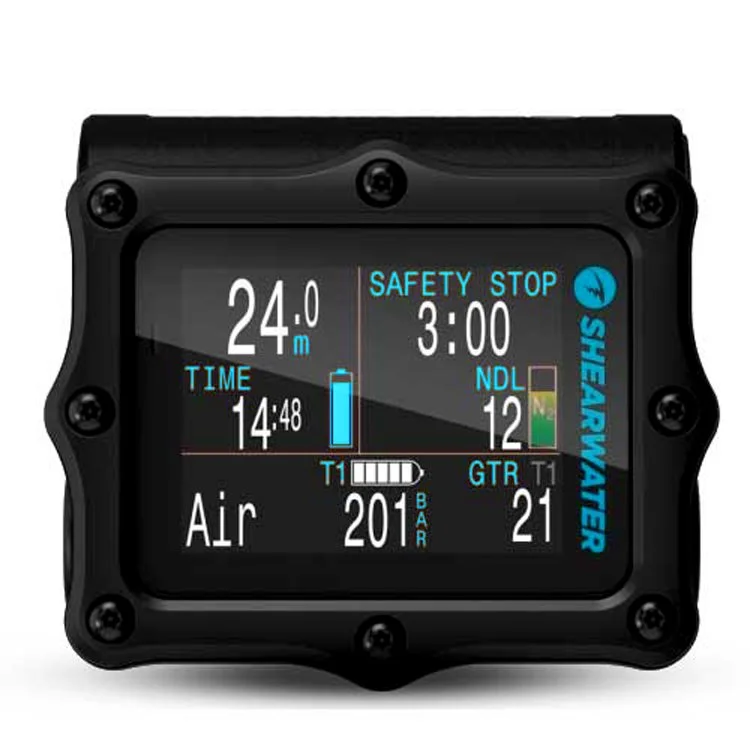
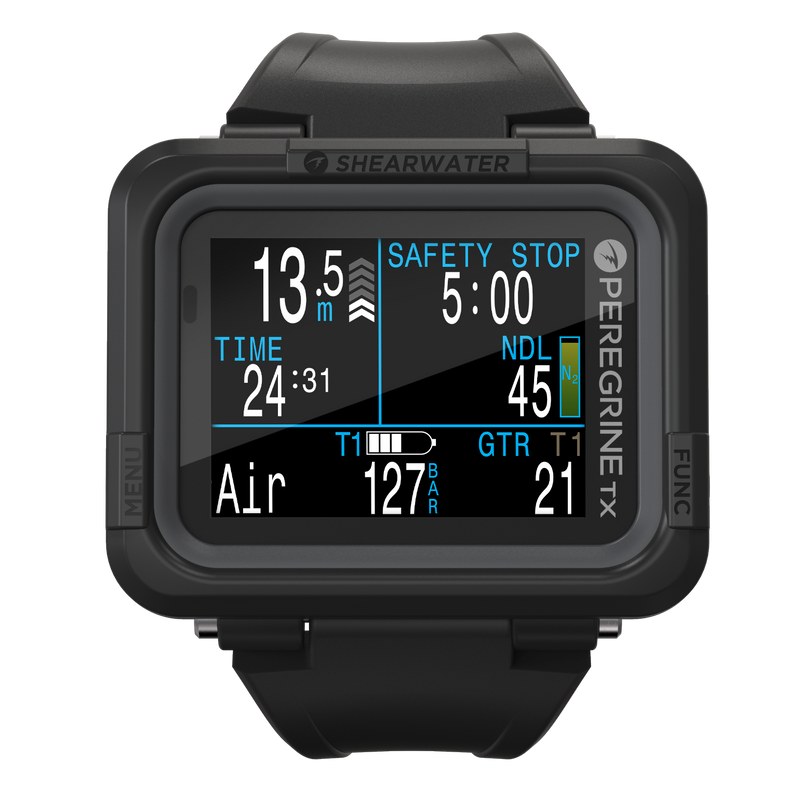
The Shearwater Peregrine TX is our top dive computer for 2026: the Peregrine, the world's most popular dive computer, with air integration and a digital compass added. It keeps the big, bright 2.2-inch screen, two-button controls, wireless charging and about 30 hours per charge, with nitrox, three-gas and gauge modes to 120 metres. The original Peregrine is still sold for less if you're happy with a separate pressure gauge. Simon dives the Peregrine's older brother, the Perdix, and lots of his friends have Peregrines; the TX is the one he'd buy today.
- 2.2 in
- colour screen
- ~30 h
- battery per charge
- US$760
- TX (original US$580)
Explore this guide 7 sections
- Overview
- Shearwater Peregrine TX vs the original Peregrine
- What’s great about the Shearwater Peregrine Dive Computer?
- What to consider when buying the Shearwater Peregrine:
- How does the Shearwater Peregrine compare to other Dive Computers?
- General Notes:
- Be sure to check out our guide to the Best Dive Computers of 2026
Overview
Big Screen • Easy to Use • Color LED Screen • Bluetooth
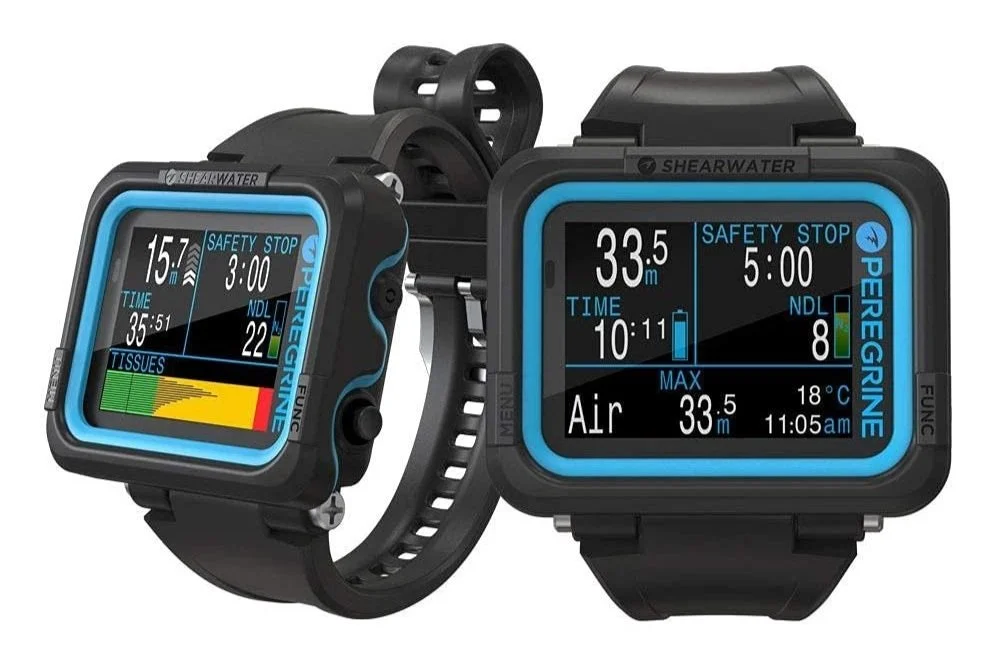
The Shearwater Peregrine has consistently been the world’s most popular dive computer since its release in 2020. It’s packed with features that both beginner and advanced recreational divers appreciate, and the large clear screen and fantastic user interface ensure they’re all easy to access and use.
Shearwater computers are the top choice for many professional and technical divers, and the Canadian company has put all the most-used features from their more expensive models into this deservedly beloved computer. In 2024 it added the Peregrine TX, which fixes the one thing I always missed: air integration.
Shearwater Peregrine TX vs the original Peregrine
The Peregrine TX is the Peregrine with two features borrowed from Shearwater’s flagship Perdix: wireless air integration and a digital compass. Everything else is the same computer.
| Peregrine TX | Original Peregrine | |
|---|---|---|
| Price (Shearwater, US) | US$760 | US$580 |
| Air integration | Yes, up to four transmitters, sold separately | No |
| Digital compass | Yes, 3-axis tilt-compensated | No |
| Screen | 2.2-inch colour LCD | 2.2-inch colour LCD |
| Battery | Rechargeable, about 30 h per charge, wireless charging | Rechargeable, about 30 h per charge, wireless charging |
| Dive modes | Air, Nitrox, 3 Gas Nitrox, Gauge | Air, Nitrox, 3 Gas Nitrox, Gauge |
| Depth rating | 120 m | 120 m |
Which should you get? If you think you’ll ever want your tank pressure on your wrist, get the TX: the original has no hardware for air integration, so it can’t be added later. If you’re happy checking a separate gauge, the original Peregrine costs less. I dive the Peregrine’s older brother, the Perdix, and lots of my friends have Peregrines. I’ve recommended Peregrines to lots of people, and they’ve all been super stoked. Everything below about the screen, menus and battery applies to both, and the TX is the one I’d buy today.
What’s great about the Shearwater Peregrine Dive Computer?
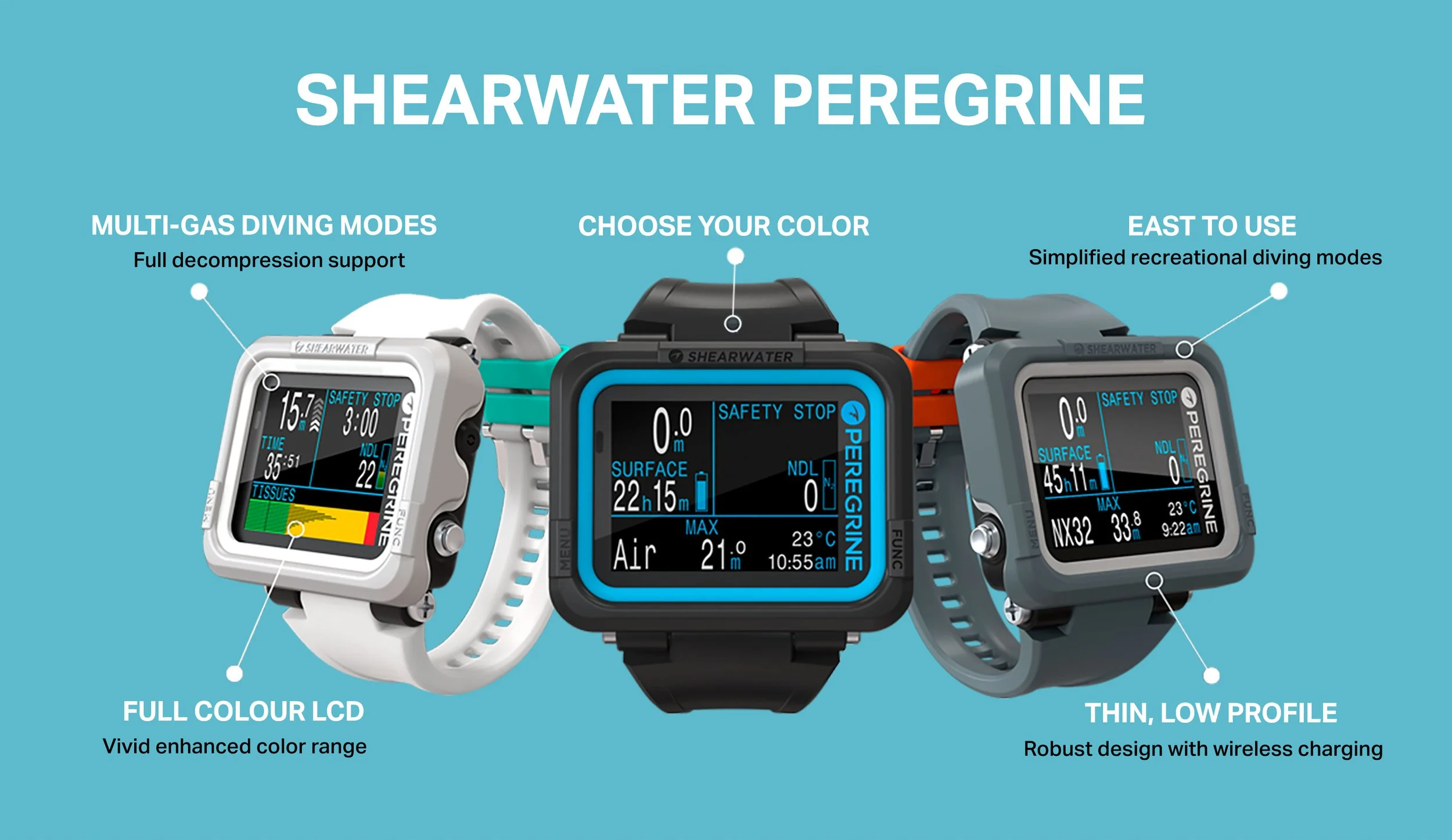
Easy to use, and the top choice for beginners.
- Excellent user interface. Why can’t other brands be like this?
- It’s bright and easy to read underwater. Excellent contrast with a big full-color 2.2” LED screen, the important information is displayed clearly.
- Intuitive navigation with a 2-button system. It’s simple to change % nitrox or anything else you might need to look at.
- Good battery life (~30 hrs) on medium brightness, with simple wireless charging via the included pad; alternatively, most Qi-compatible wireless chargers will work fine.
- Integrated battery reduces flooding risk. And, years down the track, you can replace the battery (via a Shearwater service center) to extend the computer’s lifespan.
- Vibration alerts to ensure you’re aware of impending deco…
- Internal dive log stores around 200 hours of dives.
- Bluetooth connectivity to the desktop / mobile Shearwater app for downloading dive data and updating firmware.
- Worldwide two-year warranty. Just in case.
It’s a great choice for experienced divers too:
- ‘Light’ tech-diving functionality, with 3-Gas Nitrox mode allowing you to program in three different nitrox mixes and switch between them underwater (or between dives).
- Customizable conservatism: the Peregrine has preset low, medium, and high conservatism to choose from, along with a ‘custom’ option for manual input of gradient factors.
- Customizable display.
- Rated to 120 m. Some tech divers use the Peregrine in gauge mode as a back-up to their primary computer.
- Supports decompression diving with a built-in deco dive planner.
- Broadly-used dive algorithm: the Peregrine uses Bühlmann ZHL16-C with Gradient Factors, so you won’t be ‘forced-up’ by your computer (looking at you, Suunto). The DCIEM algorithm is also available.
- It won’t lock you out. (With great power, comes great responsibility.)
What to consider when buying the Shearwater Peregrine:
- The original doesn’t have air integration or a compass. This made me sad, and it’s exactly what the Peregrine TX adds.
- Micro-USB connectivity to the charging pad. 2015 wants its cable back. (Fortunately, it works with plenty of USB-C chargers.)
- No freediving mode.
- You can insert the Peregrine into a console. If that’s your jam.
- It’s not a watch-style computer. I love the big screen, and it’s still low-profile, but you’re not going to be wearing this around between dives.
How does the Shearwater Peregrine compare to other Dive Computers?
The Peregrine has a few obvious competitors in the dive computer market, so I’ve added some notes here on direct comparisons.
You can also read our full guide to the Best Dive Computer in 2026, which has more details on the models mentioned below, and I’ve also added an in-depth Shearwater comparison guide: Shearwater Dive Computers: Which is Best For You?
Shearwater Peregrine vs Apple Watch Ultra
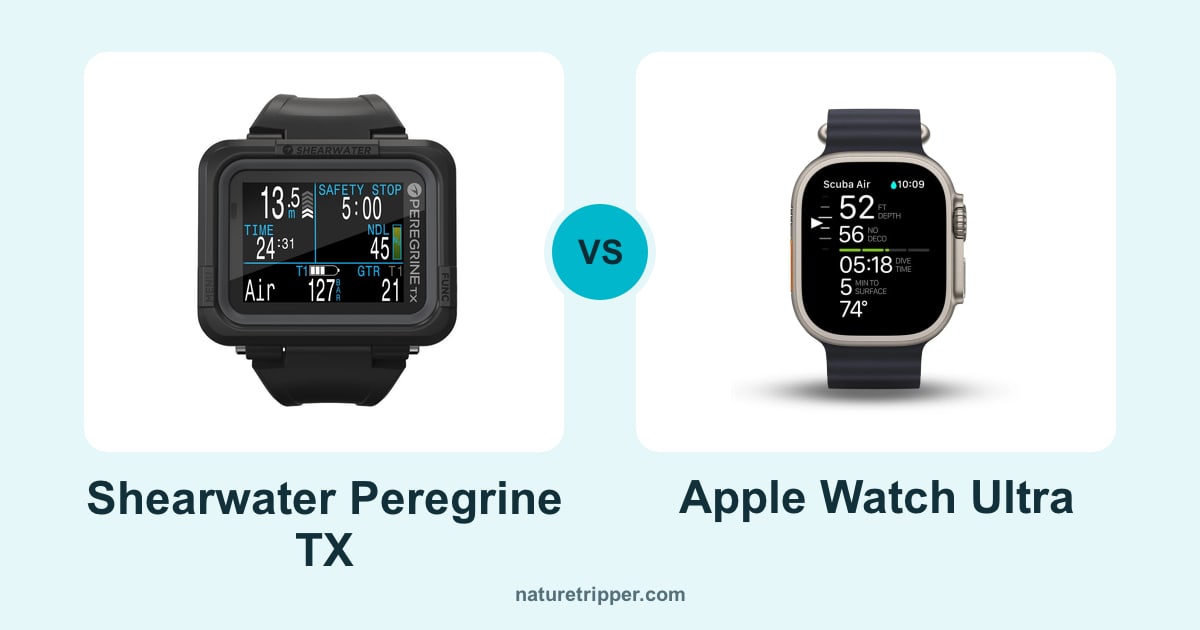
The Apple Watch Ultra is a really good smartwatch. If you’re an Apple user, and you already have / are planning to buy the Ultra, then it might well cover your diving needs. You’re giving up the big screen and battery life but, of course, you’re gaining a lot of other functionality!
However, if the Ultra isn’t the best ‘daily driver’ smartwatch for you, there’s a strong argument to be made for getting the best tool for the job, especially if you’re a regular diver. We thought through this for my wife Mads recently: she decided that the Ultra was a physically-larger smartwatch than she wanted, so she went with an SE, then bought a Shearwater Perdix 2 dive computer (which will give many years of good service).
Shearwater Peregrine vs Suunto D5
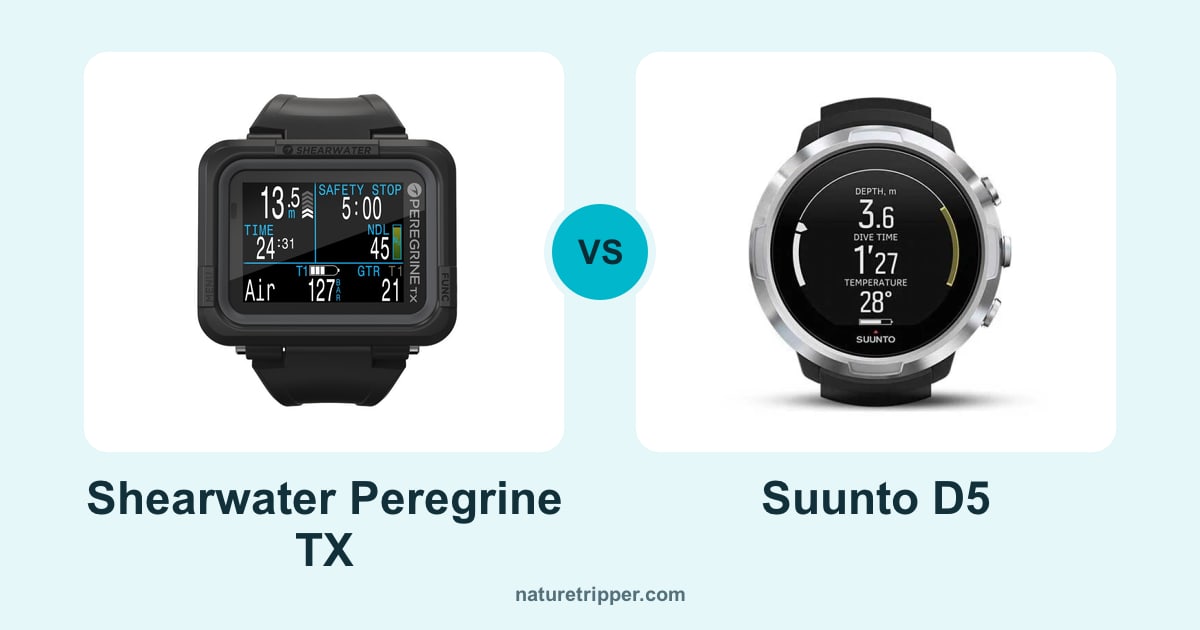
The Suunto D5 and Shearwater Peregrine are both highly functional dive computers. The Suunto is a watch-style dive computer, so it might be a better choice if you prefer that form factor. That said, the D5 is typically about twice the price of the Peregrine, and you’re missing out on the great screen, battery life, and the Shearwatery UI goodness.
If you’re seriously looking at the D5, also check out the Shearwater Tern TX and Garmin Descent as its direct competitors.
Shearwater Peregrine vs Garmin Descent G1 Solar
The Garmin Descent range are highly capable smartwatches that are also excellent dive computers. The top-of-the-range Descent Mk2i is in a very different price category to the Peregrine, but the newer Garmin G1 Solar is closer to the Peregrine in price.
If you definitely want a smartwatch with dive capabilities, and you’re an Android user, the G1 is worth a look. Otherwise, though, the Peregrine has a much bigger and better screen (with color, which the G1 lacks). It’s an objectively better dive computer than the G1, in my opinion, which I guess means it’s subjectively better. But you get what I mean. Hopefully.
Shearwater Peregrine vs Shearwater Perdix
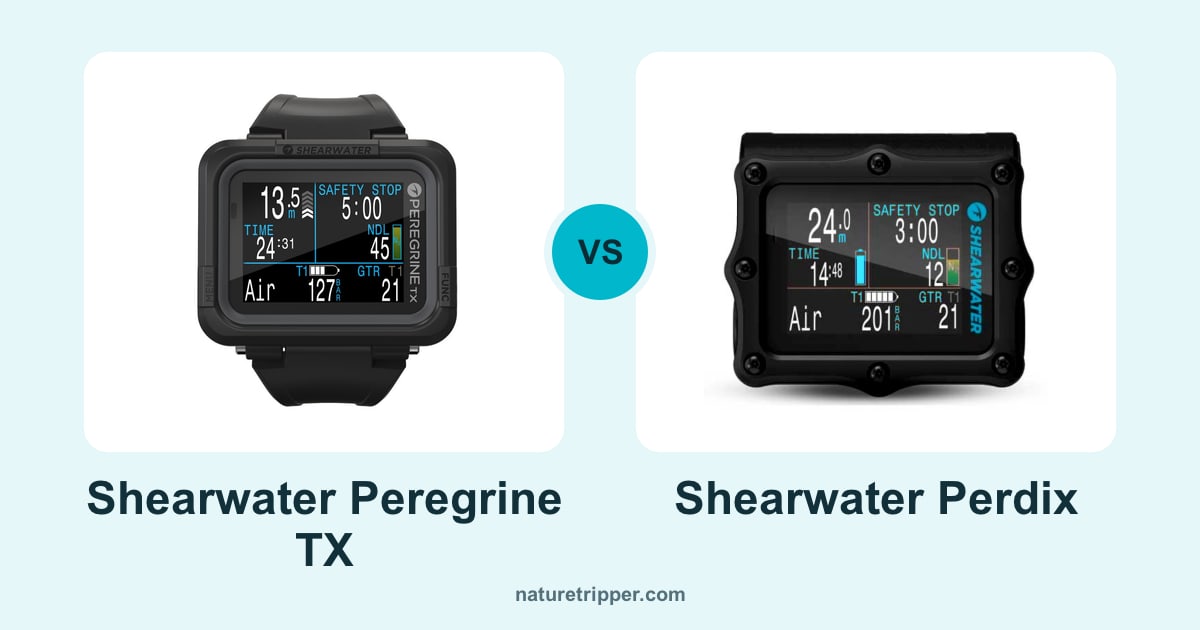
Okay, this is getting more interesting. The slate-style Shearwater Perdix 3 Dive Computer is our pick if you’re intending to become a pretty serious tech diver, BUT, if you’re a recreational diver, the Peregrine will almost certainly do everything you need. Our top pick for 2026 is the Shearwater Peregrine TX, the Peregrine with air integration added.
Honestly, even as a ‘professional’ diver, the Peregrine would be just fine for me… except I love air integration. (I’d never go back to looking at a gauge, like a Neanderthal.) Nevertheless, if you’re happy to check your gauge from time to time… well, you can save a lot of money here.
But know that I’m judging you.
Shearwater Peregrine vs Shearwater Tern
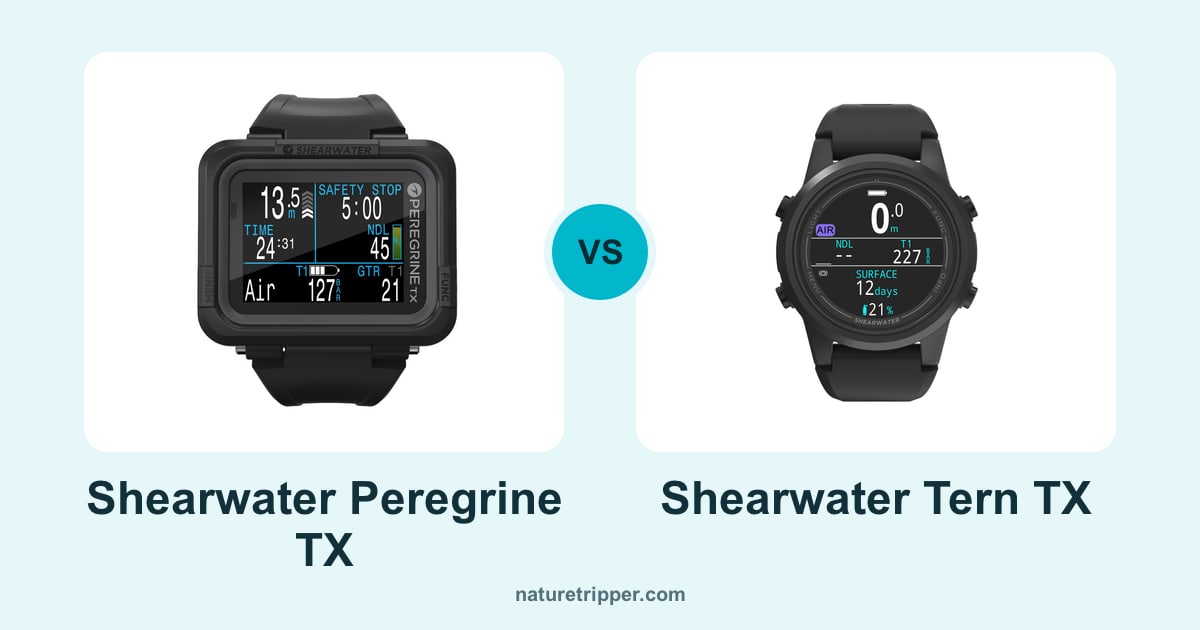
Like a big screen? Recreational diver? Get the Peregrine. Want a watch you can wear every day? Get the Shearwater Tern, Shearwater’s compact watch-style computer from 2024 (read our Tern review).
They’re closely matched. Both come in two versions: the Peregrine (US$580) and Tern (US$595) without air integration, and the Peregrine TX (US$760) and Tern TX (US$805) with air integration and a compass. Both cover air, nitrox, three-gas nitrox and gauge diving, and the Tern adds a freediving mode. The Peregrine’s 2.2-inch screen is much bigger than the Tern’s 1.3-inch AMOLED, and it lasts about 30 hours per charge against the Tern’s 20.
If you want tech modes in a watch, that’s the Shearwater Teric. For a really detailed comparison, check out our Shearwater Showdown page.
General Notes:
The Shearwater Peregrine is a really good dive computer. The 2.2” bright slate-style screen allows for big, clear text, and the Peregrine does a great job of displaying the most important dive information in an easy-to-read, uncluttered arrangement. They use color well, too. The Peregrine is the perfect first dive computer for beginners, but its also great for experienced divers.
The original Peregrine’s sole downside, to my mind, was the lack of air integration, and it doesn’t have the internal hardware to add it through firmware updates. That’s exactly what the Peregrine TX fixes, so get the TX if air integration matters to you. Check out our full guide to the best dive computers for more on all that.
Still here? Okay, let’s get nerdy.
Dive Modes
The Peregrine has a comprehensive feature set for recreational diving, up to and including ‘basic’ technical diving using its 3-gas nitrox mode, where you can program in up to three separate nitrox mixes to switch between while underwater. It also has a gauge mode, useful for tech divers that want a backup bottom timer, the Peregrine has a max depth of 120 m.
What’s it like to use? Lovely.
The Peregrine has so many nice little user-friendly features that other companies, frankly, fail at.
For instance, consider safety stops, something you’ll have to put up with on almost every dive.
I’ve dived with so many people that have to keep their eyes glued to their computer throughout their 3–5 min stop, if they deviate more than 1–2 m in depth, their computer will restart the whole process. Dangnabbit.
Meanwhile, I simply initiate my safety stop countdown by going up to >6 m, then continue pootling around. If I accidentally go under 8 m (it happens… often), it’ll pause the countdown. It won’t restart unless you go under 11 m. The actual countdown is good too: you get a min:sec readout.
There are lots of examples of these user-facing improvements to remove little frustrations from diving. The Peregrine excels in just making things easy, so you can focus on what’s around you, rather than your dive computer.
Will it last? Firmware Updates & Battery Life
You can reasonably expect your Peregrine to last for years. Shearwater computers are built tough and have a longstanding reputation for excellent firmware updates. I personally use the Shearwater Perdix AI, which I’ve had since 2017 (and love!). It still gets routine firmware updates now, years after it came out, even though it was superseded by the Perdix 2 in 2022.
Given that dive computers should work for years, I initially questioned the use of an integrated battery on the Peregrine, it’s nice to have it sealed away, but will it last? Dealing with this head-on, Shearwater offers a 2-year warranty period with free battery replacement. In reality, their official documentation states that they expect battery life to last several years, and they offer a replacement service for $150 outside the warranty window, so I think the benefits of the internal battery, no flooding risk, outweigh the drawbacks.
In use, you can expect the Peregrine’s battery life to last ~30 hrs of dive time. That’ll get you through almost any dive liveaboard. It’s easy-to-charge, too, with an included wireless charging mat, but it also works with many regular 3rd-party Qi wireless chargers.
Most people, of course, just want to know whether the Peregrine will be a safe and reliable buddy during ‘normal’ dives for years to come.
Yes, it will.
Connectivity & Apps
The smartphone app is… okay. which is honestly the case for most diving apps these days. Be cool if it was smarter, optionally pull in some location data from the phone perhaps, as you might have it with you on the boat / onshore.
The user interface team certainly spent more time on the computer itself than the app, but it’ll likely do the job for you, it does for me.
Is the Peregrine the best dive computer for beginners?
Yes. It is.
Traditional ‘beginner’ or ‘entry-level’ dive computers like the Cressi Leonardo and Suunto Zoop are cheaper, but they’re so frustrating to use that most divers quickly start shopping for an upgrade. The Peregrine changes all that, it’s an advanced dive computer in a user-friendly package.
Ultimately the best dive computer for beginners should enhance every dive while never forcing you to upgrade. The Peregrine offers a clear and worthwhile step up in functionality from other “entry-level” computers.
It’s not the cheapest, typically around $500, but it offers excellent value.
READ MORE USER REVIEWS ON AMAZON
Still looking at options?
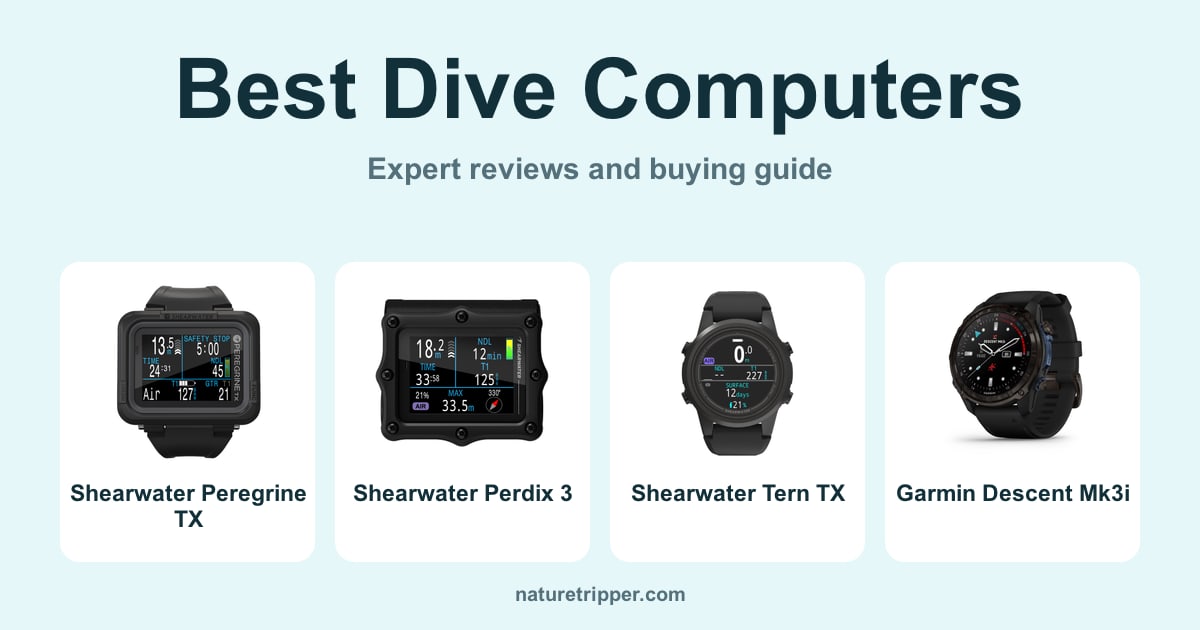
Be sure to check out our guide to the Best Dive Computers of 2026
Field data
The key facts from this guide in one place.
| Price | US$760 for the Peregrine TX, US$580 for the original |
|---|---|
| Air integration | Peregrine TX only, up to four transmitters (sold separately) |
| Compass | Peregrine TX only, 3-axis tilt-compensated |
| Screen | 2.2 in full colour LCD |
| Battery | Rechargeable, about 30 hours per charge |
| Depth rating | 120 m / 394 ft |
| Build | Ballistic nylon polymer case, 316 stainless steel buttons |
| Algorithm | Bühlmann ZHL-16C with gradient factors (DCIEM also available) |
| Dive log | About 200 hours |
| Connectivity | Bluetooth, Shearwater app |
| Charging | Wireless charging pad, Qi-compatible |
| Warranty | Two years, worldwide |
Last updated on